

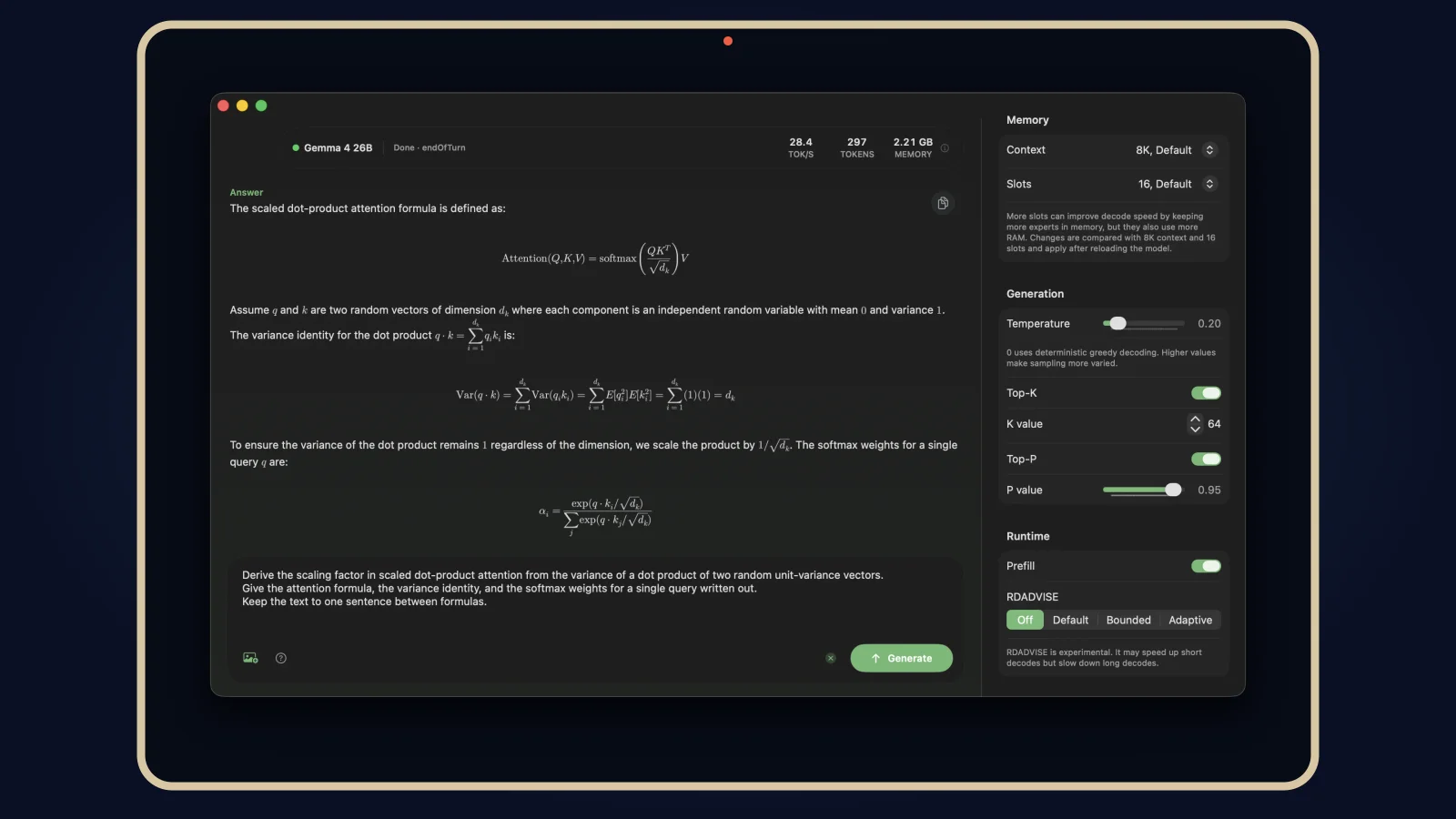

Commented LOCAL? Here is the official TurboFieldfare repository and the full setup guide. Mac only: Apple Silicon M1 or newer and macOS 26 or later. No Intel Mac, Windows or Linux support.
Checked on 28 September 2026. You need Git, Xcode 26, Swift 6.2+, at least 8 GB of memory and approximately 14.3 GB of free SSD space for the model. Allow more room for Xcode, the build and temporary files. The first download transfers about 15 GB and requires internet; text generation works offline afterward. The app's source is free and open; model weights are downloaded separately under their own terms.
How does it fit in 8 GB?
Think of Netflix: you do not load the entire film into memory before watching a scene. Gemma 4 26B-A4B has 26 billion parameters in total, about 3.88 billion active per token, and occupies approximately 14.3 GB on SSD. TurboFieldfare instead holds the 1.35 GB shared core and context cache in memory: about 2 GB of weights and cache for a 4K-token context.
For each generated piece of a word (a token), it selects the experts it needs and reads them from the SSD. A small cache saves some repeated reads. That lets it run on an 8 GB Mac, at the cost of speed. Figures checked 28 September 2026.
Check your Mac
Apple menu → About This Mac: confirm M1 or newer, macOS 26+ and 8 GB RAM or more. Install Xcode 26 from the App Store or Apple. In Terminal check the compiler:
swift --versionYou need Swift 6.2+. Also confirm Git and about 14.3 GB free for the finished model, plus extra space for the build and temporary files (as of 28 September 2026).
Clone, build and download
Run these Terminal commands in order:
git clone https://github.com/drumih/turbo-fieldfare.gitcd turbo-fieldfareswift build -c release.build/release/TurboFieldfareMacIn the app, choose Download and wait for installation to finish. The first transfer is about 15 GB. The finished model lives in scratch/gemma4.gturbo under the cloned project. You only need to download it again if you remove that installation (as of 28 September 2026).
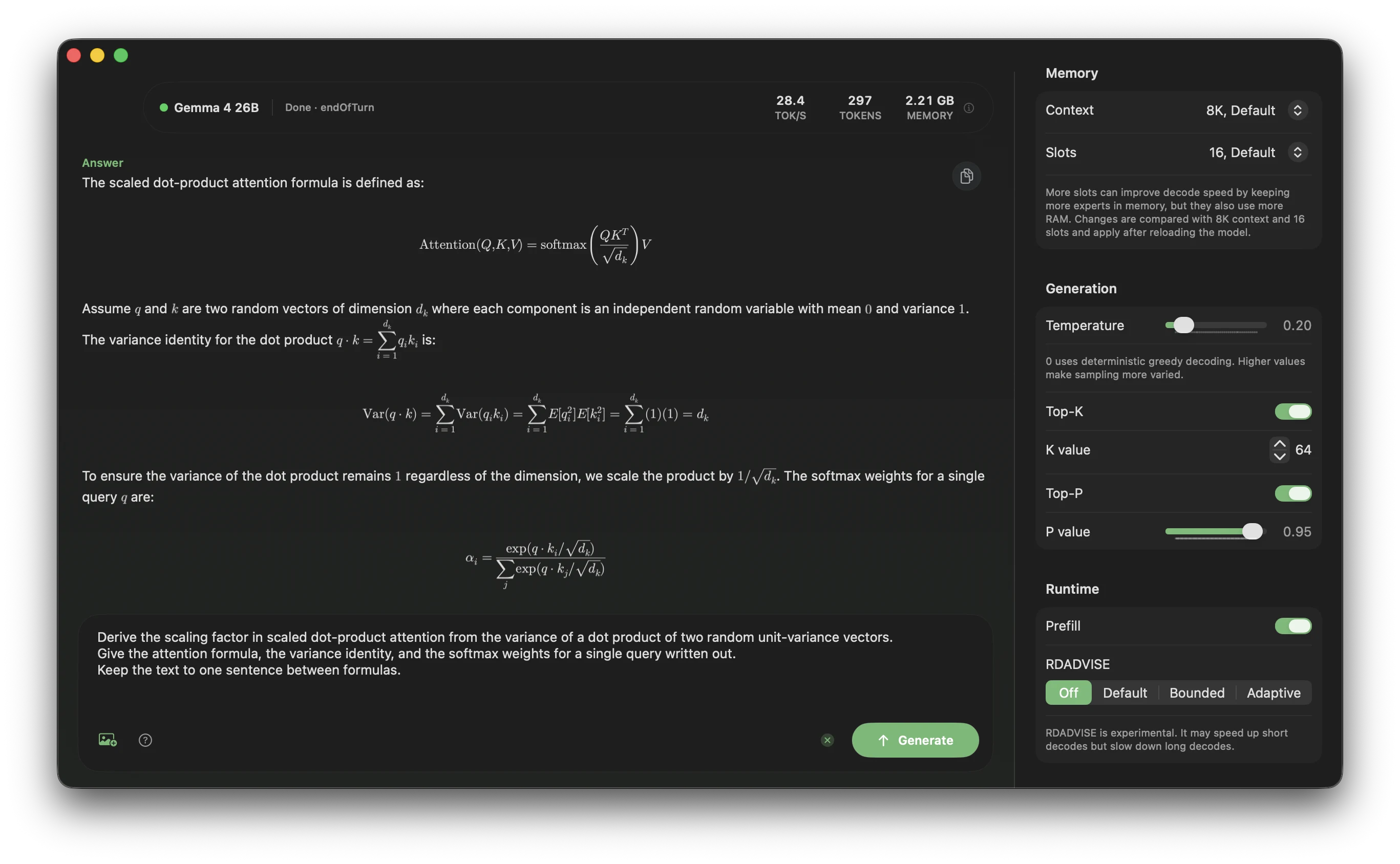
Load and generate offline
Choose Load Model, enter a prompt and click Generate. The default shortcut is ⌘↩; it can be changed in settings. After the first download, try turning off Wi-Fi: text inference uses the installed local model (as of 28 September 2026).
Project benchmarks report 5.1–6.3 tokens/s on an 8 GB M2 MacBook Air, versus 31–35 tokens/s on a 24 GB M5 Pro. These are decode rates, not download, load or initial prompt-processing speeds. On the M2 it feels roughly like reading along, not instant; speed varies by workload and cache state. Figures checked 28 September 2026.
Three useful prompts
Confidential documents. Only paste material you are authorized to process; check your workplace policy.
Summarize this excerpt in five points. Separate facts from open questions. Do not invent missing information: [paste excerpt].
Edit text.
Improve clarity and grammar without changing my voice. Show the revised text and three important changes: [paste text].
Draft emails.
Draft a short, polite email to [recipient] about [topic]. My request is [request]. Do not invent dates, prices or commitments.
Optional: CLI and local server
With the model installed, from the turbo-fieldfare folder create messages.json:
[{"role":"user","content":"Explain local AI in one sentence."}]
Then run:
swift run -c release TurboFieldfareCLI --model scratch/gemma4.gturbo --messages-file messages.jsonOr build an OpenAI-compatible chat server:
swift build -c release --product TurboFieldfareServer.build/release/TurboFieldfareServer --model scratch/gemma4.gturboConnect your client to http://127.0.0.1:8080/v1. It binds to loopback and has no authentication or TLS: do not expose it through a tunnel or proxy. Close the app before using the CLI or server; only one model-owning process should run at a time, especially on an 8 GB Mac (as of 28 September 2026).
FAQ
Intel Mac, Windows or Linux? No. Only Apple Silicon M1+ Macs on macOS 26+ (checked 28 September 2026).
Disk space? Approximately 14.3 GB for text, plus 1.1 GB for the optional image pack; the first transfer is about 15 GB. Leave additional room for Xcode, build output and temporary files (checked 28 September 2026).
Is this Google's app? No. The Gemma 4 26B-A4B model is Google's; Andrey Mikhaylov built the independent open-source TurboFieldfare app. It is not affiliated with, sponsored by or endorsed by Google. App source is Apache-2.0; downloaded weights retain their own terms (checked 28 September 2026).
Does anything leave my Mac? Installation contacts GitHub, Swift dependency hosts and Hugging Face for the checkpoint. Once installed, text inference uses local weights; the optional server listens on 127.0.0.1. The project does not provide a full network audit or guarantee about other apps on your Mac. For sensitive work, disconnect the network during use and follow your organization's rules. Never expose the local server.
How do I uninstall? Quit the app, CLI and server. In the cloned folder, delete scratch/gemma4.gturbo to reclaim model storage, plus scratch/gemma4.vision.gturbo if you installed image support. Delete the whole turbo-fieldfare folder via Finder if you no longer want the project. Check your location before deleting; Xcode is separate. If clearing chats too, check local app data: the README and design doc disagree on history persistence (checked 28 September 2026).
Sources: official repository and Google Gemma 4 model card. This documents the setup as of 28 September 2026; a full model install was not performed for this guide.
Comments
Have a question or something to add? Join the conversation.
No account needed. Select Sign in and choose a name to comment.
Loading the conversation…
Comment privacyCommenting guidelines