


Your agent uses tokens for everything it reads. Repeated logs, huge JSON and files read again fill the prompt even if the answer is one line. Headroom compresses that material on your computer before the model sees it. Originals stay in a local cache and the agent can fetch full text with headroom_retrieve. Tejas Chopra built it as a personal project; he is a former Netflix engineer, but Netflix did not make it.
What the numbers actually say
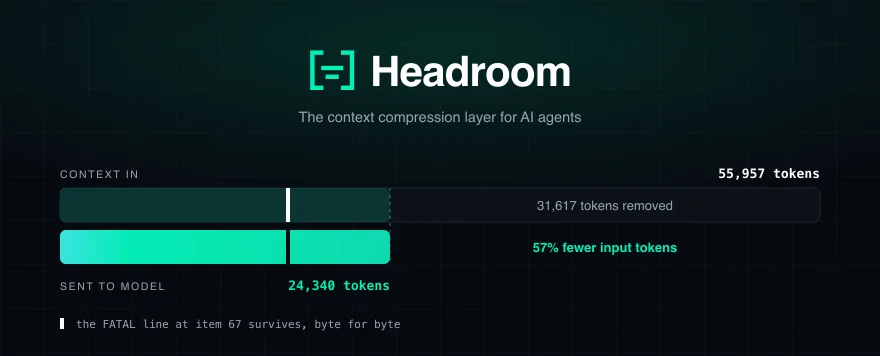
On 30 September 2026 the repository had 74,123 stars and an Apache 2.0 licence. The project's README captions one error-log test as 10,144 → 1,260 tokens, about 8× smaller, with the same FATAL found. The adjacent GIF shows a Claude Code session, not that log test. A separate hero example shows 55,957 → 24,340 tokens (57%); the FATAL line at item 67 survives byte for byte.
The README's Proof table reported 21% (code search), 57% (SRE incident), 42% (codebase exploration) and 30% (issue triage) fewer input tokens in four synthetic agent scenarios on 30 September 2026. These are not measured bills. Cache pricing, output tokens and your provider change the monetary result. A flat Claude or ChatGPT subscription may give you more room under usage limits, not a smaller monthly charge. Short chats, prose and dense payloads see little benefit.
Install Headroom
You need Python 3.10+. With uv, use an isolated Python 3.13 install:
uv tool install --python 3.13 "headroom-ai[all]"Or use pip:
pip install "headroom-ai[all]"The headroom CLI ships with the PyPI package only; npm headroom-ai is a TypeScript SDK, not the CLI. Intel Macs may need Docker or the onnxruntime workaround.
Claude Code
In your project directory:
headroom wrap claudeThis starts a local proxy and launches Claude Code through it. Undo durable setup with headroom unwrap claude. Wrapping also installs the Serena code-navigation MCP at user scope; avoid that with headroom wrap claude --code-memory none.
Codex
headroom wrap codexThis starts Codex via the proxy and registers the retrieval MCP tool. Skip Serena with headroom wrap codex --code-memory none; undo durable configuration with headroom unwrap codex.
Cursor
headroom wrap cursorLeave this terminal running. The command starts the proxy and prints URLs. In Cursor open Settings → Models → OpenAI API Key → Advanced → Override Base URL. Paste the printed OpenAI URL, normally http://localhost:8787/v1. Set up your provider key in Cursor and check whether your selected model accepts a custom base URL. Unlike the CLI agents, Cursor needs manual settings.
Verify and measure
With the proxy running, in another terminal:
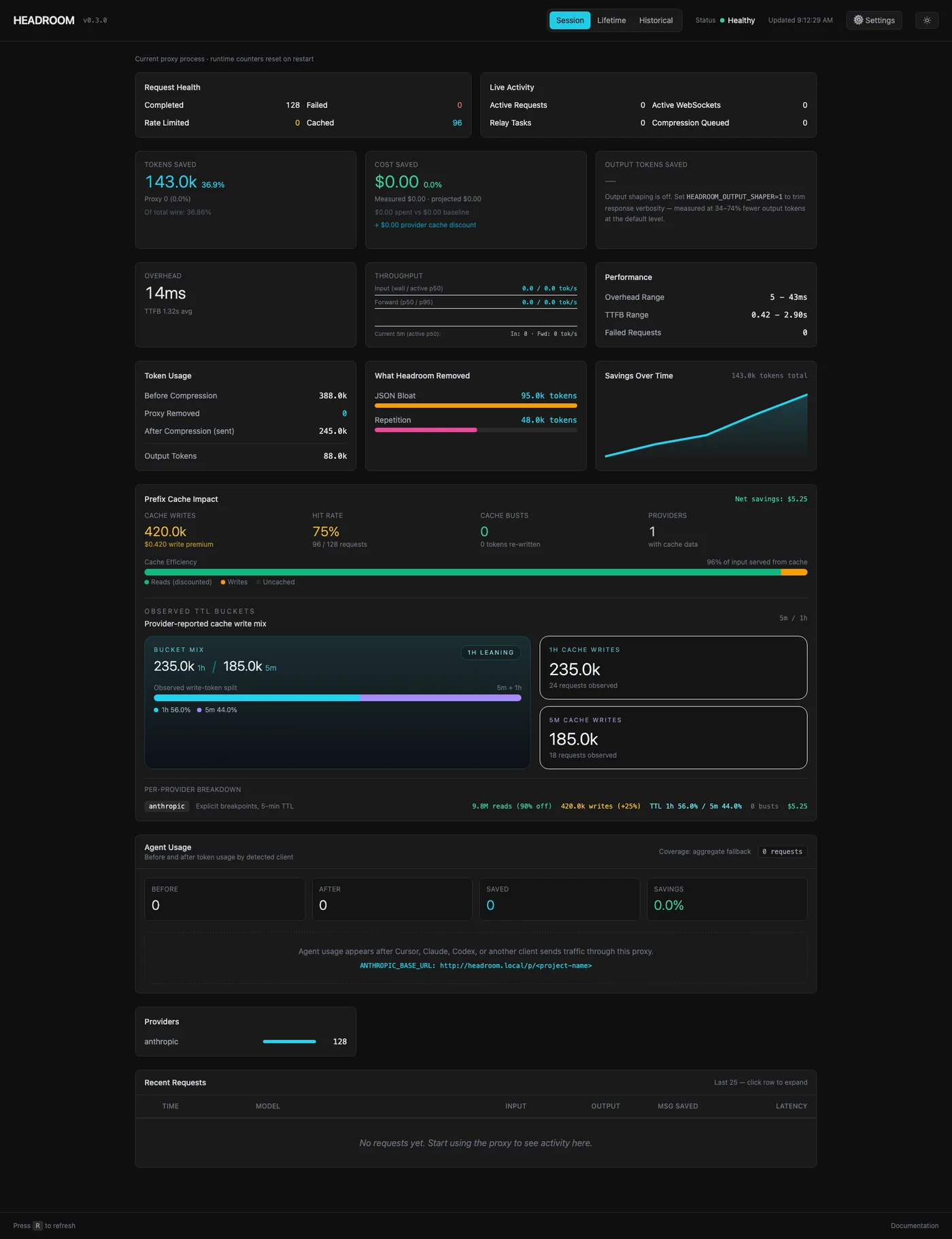
headroom doctorheadroom dashboardheadroom savingsThe dashboard is at http://localhost:8787/dashboard. Run a real task with heavy tool output, then compare before and after tokens. An empty dashboard proves nothing.
For another client, run headroom proxy --port 8787 and set ANTHROPIC_BASE_URL=http://localhost:8787 or OPENAI_BASE_URL=http://localhost:8787/v1 in that client's environment. For MCP clients, headroom mcp install registers with detected agents; add --agent claude to target just Claude. Keep your existing provider credentials.
Privacy and price
Compression runs locally; prompts and files do not go to Headroom Labs for compression. The compressed prompt still goes to your existing LLM provider. The README says an anonymous usage beacon is on by default: ratios and counters, never prompts, code or file paths. Disable with HEADROOM_BEACON=off, DO_NOT_TRACK=1 or --offline. The Kompress model may download from Hugging Face on first use. Read the trust policy.
The whole repo is free under Apache 2.0. Paid managed and enterprise deployment adds team support, SSO, organisation dashboards and VPC. No public pricing is listed.
FAQ
Really free? Local OSS use is free. Your LLM provider might still charge.
Will answers change? They can; compression does not guarantee identical results everywhere. In the project's GSM8K check, accuracy was 0.870 → 0.870 on 100 questions, not proof of universal equivalence. Check important answers and retrieve originals when needed.
Does it work with my Claude or ChatGPT subscription? Claude Code and Codex have documented integration paths. Subscription login and limits depend on your client and provider; ChatGPT in the browser has no proxy setting. Do not expect a flat monthly fee to decrease.
Is my code sent to Headroom Labs? Not for compression. Remaining content still goes to the LLM provider you configured.
Is this headroom.js? No. headroom.js hides website headers when you scroll.
Comments
Have a question or something to add? Join the conversation.
No account needed. Select Sign in and choose a name to comment.
Loading the conversation…
Comment privacyCommenting guidelines