

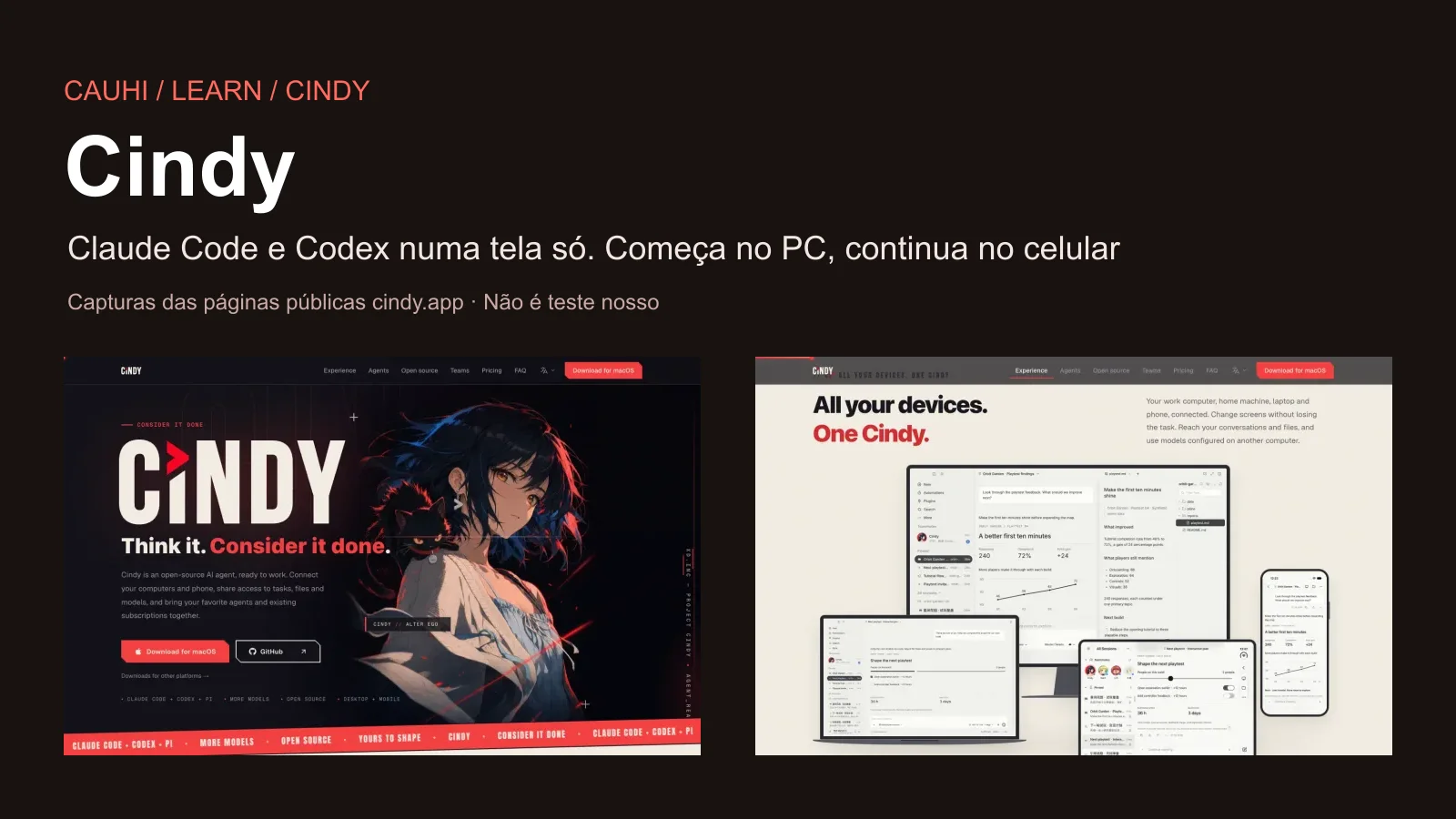

Commented CINDY? Here is the link and the step by step. Cindy is a free, open-source app that brings Claude Code, Codex and Pi (three “agents”, meaning AIs that do tasks on your computer) together on one screen. The task runs on your computer, with your files, and you follow it and reply from your phone.
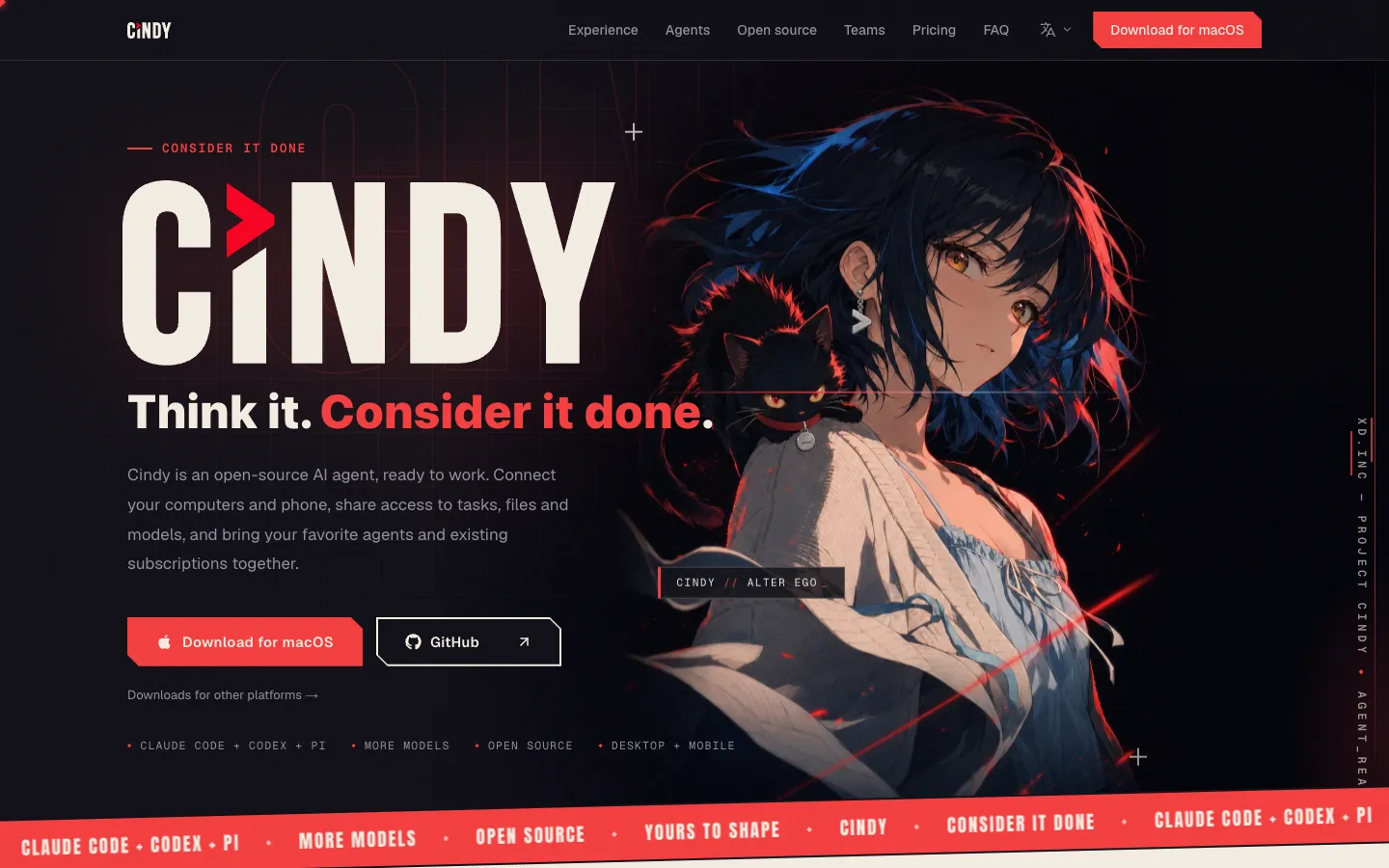
The official cindy.app page, captured on 28/10/2026.
First, five truths:
- The app is free, the AI is not. You use the plan you already pay for (Claude or ChatGPT) or an API key. Your AI plan's limits and billing still apply. Cindy itself says “the free client does not mean unlimited model usage” (README, 28/10/2026).
- Your computer has to stay on and online. The phone is a remote control: it does not run the task by itself.
- On Android, it is APK only, downloaded from the official site. It is not on Google Play (the “Cindy” listed there is an unrelated app).
- Switching agents does not copy one “brain” into the other. The session stays in Cindy; the new agent gets a handoff summary of the conversation, and some details may be lost (the app's official manual).
- It is a new project (launched on 26/07/2026, version 0.1.119 on 28/10/2026, with near-daily updates). The steps come from the official documentation and WERE NOT TESTED BY US. The images are screenshots of public pages.
| What it is | Detail |
|---|---|
| Name | Cindy (“Consider it done”) |
| Made by | XD Inc. (心动), the Chinese games company that owns TapTap |
| Licence | Apache-2.0: the app (client) is open source, free to use, copy and modify |
| Agents | Claude Code, Codex and Pi (not “any agent”) |
| Computer | Mac (macOS 13 or later, Apple silicon or Intel), Windows 10 or later (x64), Linux (Ubuntu/Debian and Arch) |
| Phone | iPhone and iPad (App Store, iOS 16.4+) and Android (APK from the official site only) |
| App language | English (also Japanese, Korean and Chinese). No Portuguese or Spanish yet; you can write to the agents in any language |
| Version | Desktop v0.1.119 (28/10/2026); iPhone v0.1.17 (26/10/2026); Android APK 0.1.32 (checked on 28/10/2026) |
How it works, in plain words
Think of Cindy as a control centre for the AIs that work on your computer:
- The app lives on your computer. That is where the task runs: it reads and edits files in the folder you choose, and uses the browser and other programs.
- The thinking comes from the AI you already pay for. You sign in with your Claude or ChatGPT account (or an API key) and pick the agent: Claude Code, Codex or Pi.
- Your phone becomes a remote control. With the same Cindy account on the phone, you see progress, reply to the agent, open the task's files and even see and control the computer's screen (remote desktop).
- “Your computer becomes your server”: no server to rent. Cindy's servers only bridge the devices on the same account. That is why the computer has to stay on and online.
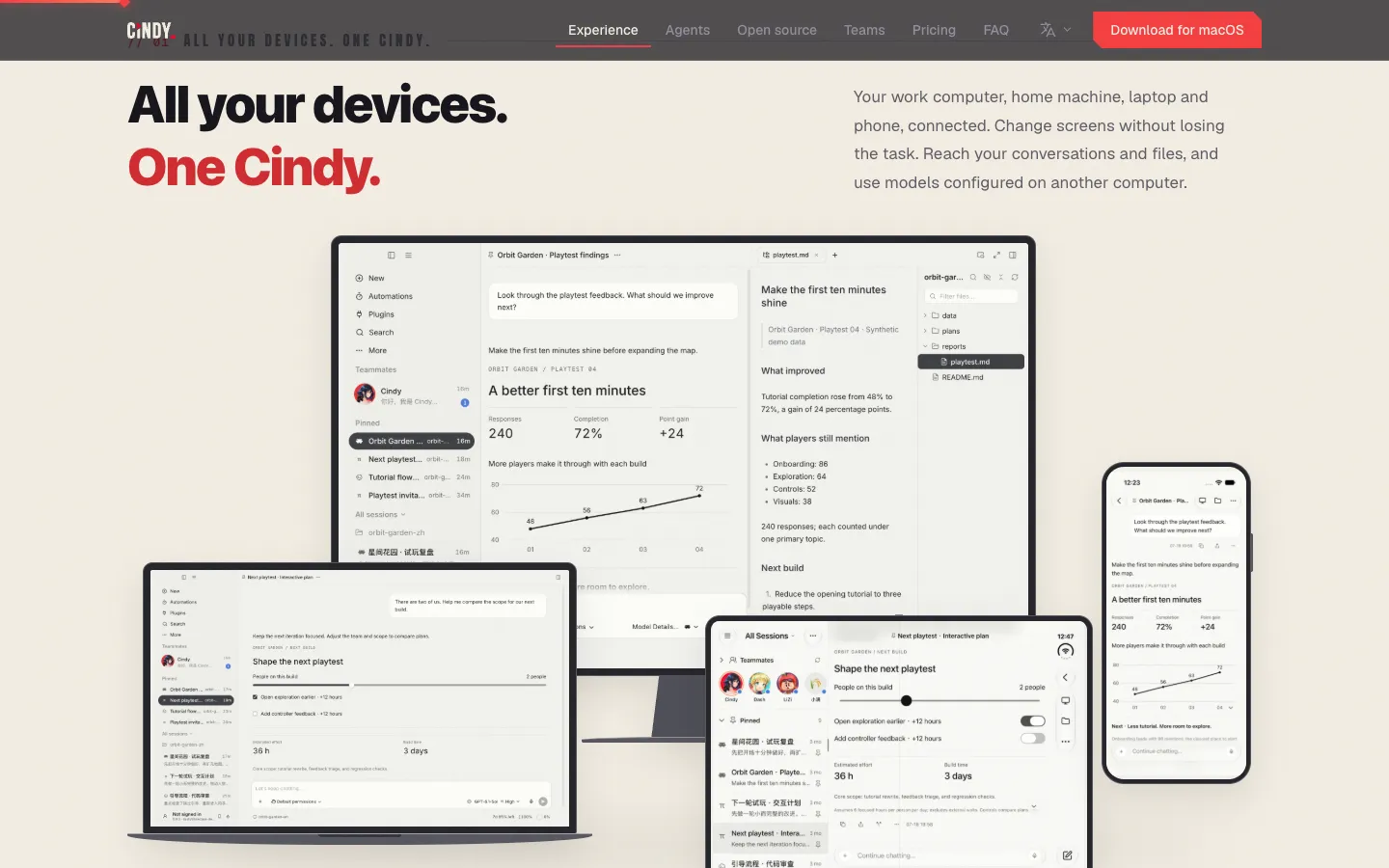
The “all your devices” section of the official site, captured on 28/10/2026. The screens are the site's own demo images (an “Orbit Garden” project with sample data), not a test by us.
The simplest path
Documentation step, not tested by us. No coding and no Terminal needed: download an app, sign in and write what you want. Button names are in English, as in the app.
Download the app on your computer
Open cindy.app/download on your computer. The page suggests the right version for your system:
- Mac: “Apple silicon” (M1 or newer) or “Intel”. Needs macOS 13 or later.
- Windows: “Windows x64”. Needs Windows 10 or later.
- Linux: “Ubuntu / Debian” (.deb package). For Arch, see “Going further”.
Install it like any other program and open it.
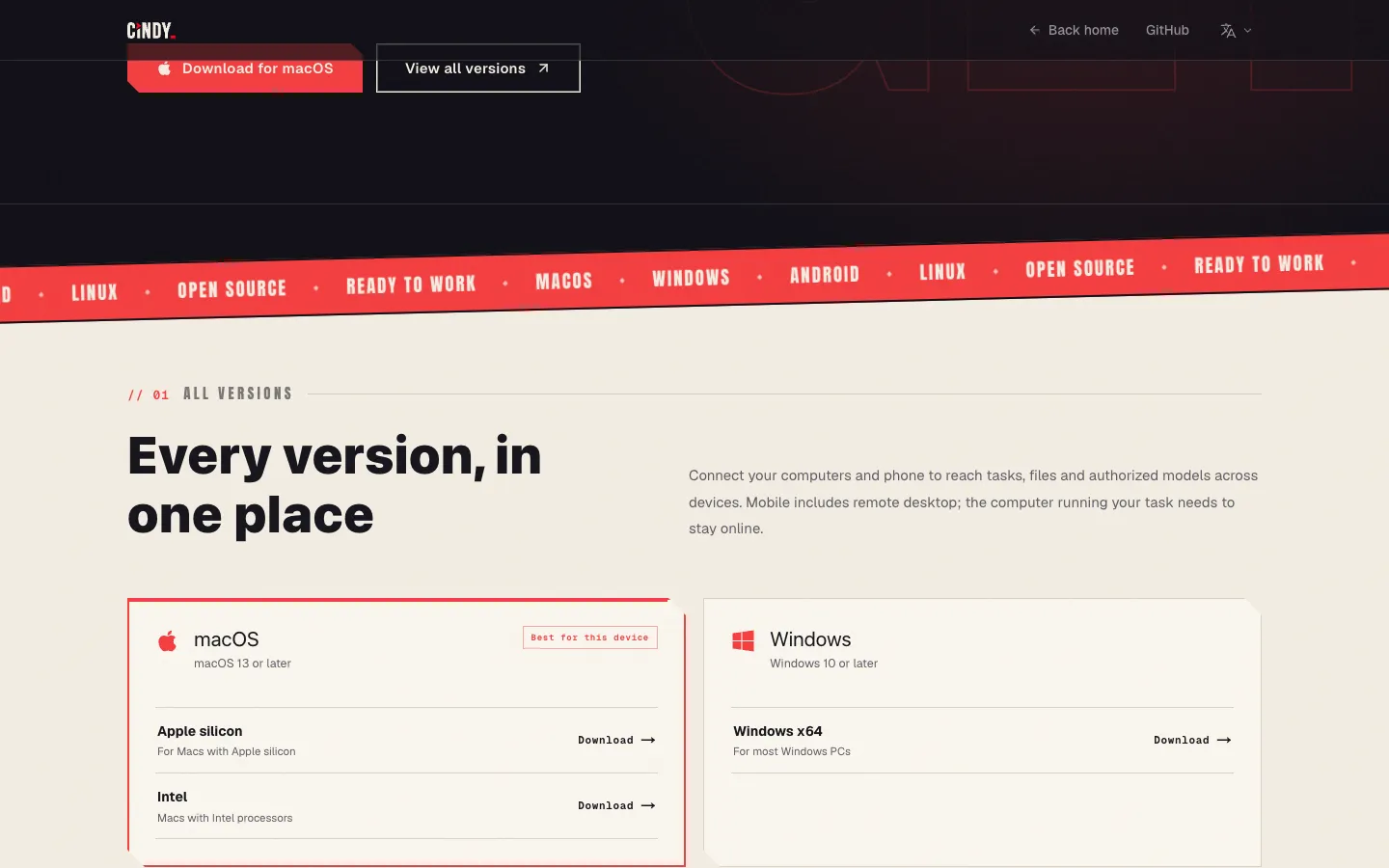
The official download page, captured on 28/10/2026. Further down it lists Android (APK), iPhone and iPad (App Store) and Linux.
Sign in and connect the plan you already pay for
- On the sign-in screen, create or sign in to a Cindy account. It is required to use the phone (without an account, “Skip Sign-In” runs on the computer only).
- Go to Settings → Providers → Add provider and choose Subscription account. You can sign in with Claude or ChatGPT through the browser. If you already use Claude Code or Codex on that computer, it may show up under Detected on this device, with a Use local account button.
- No plan? Add an API key (under “More providers”) or use Cindy's own paid service (see “Is it free?”).
Using your own plan does not spend Cindy credit, but your plan's limits and billing still apply (cindy.app/pricing, rule 04, 28/10/2026).
Start a task on your computer
- Click New (the ⊕ at the top of the sidebar), or ⌘N on Mac / Ctrl+N on Windows.
- In Chat or select project, pick the folder the agent will work in. To just chat, pick Chat.
- Pick the model in the selector in the text box. The agent (Claude Code, Codex or Pi) comes with the model: with a ChatGPT plan the default runs on Codex; with a Claude plan, on Claude Code (the app's official manual).
- Write what you want and press Enter. An example request, written by us, for a folder of PDF invoices:
Sort the PDFs in this folder into subfolders by month, create a summary.csv spreadsheet with the date, supplier and amount of each invoice, and ask me before deleting or renaming any file.Tip from the manual itself: give the goal, the context and what “done” looks like, rather than a one-line command.
Carry on from your phone
- Install the phone app:
- iPhone or iPad: Cindy - AI Assistant on the App Store (free, iOS 16.4 or later).
- Android: download the APK from cindy.app/download (Android section). Android will ask you to allow installing apps from this source. Do not look for it on Google Play: the “Cindy” there is another app.
- On the phone, sign in with the same Cindy account as the computer.
- On the computer, turn on Allow same-account devices to control this machine in Settings → Remote Connection.
Done: the computer shows up on the phone by itself, no pairing code. From the phone you can see tasks, send messages, answer the agent's questions, approve permissions, open the task's files (read-only) and start new tasks, which run on the computer.
Want to see and use the computer's screen? On the computer, also turn on Allow remote desktop (same page). On a Mac it asks for Screen Recording and Accessibility permissions. On the phone, tap Remote desktop.
So it does not drop halfway: turn on Keep computer awake in Settings → General → App Behavior. If the computer sleeps, shuts down or signs out, the task stops.
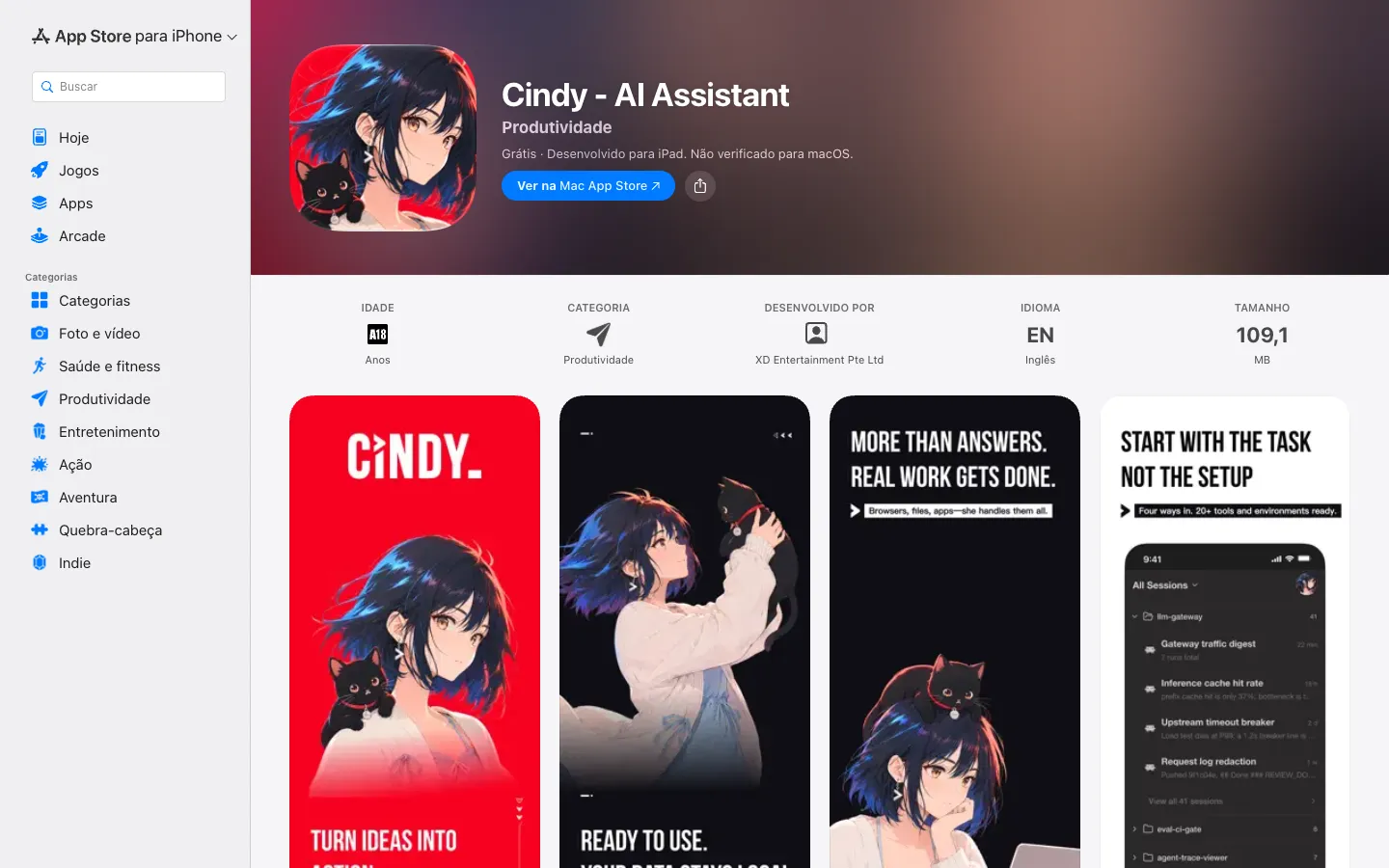
The app's App Store page (Brazil), captured on 28/10/2026 (free, no ratings yet).
Hit the limit? Switch agents in the same task
Open the model selector and pick another one (for example, from Claude to the Codex in your ChatGPT plan). The switch applies from your next message. If the new model runs on a different agent, Cindy asks Switch Agent? to confirm.
What really happens: the session stays in Cindy, and the new agent continues from a handoff summary of the conversation. According to the official manual, “some reasoning or details may not carry over perfectly”. It is not the same state, it is a baton pass. And the new plan's limits count too.
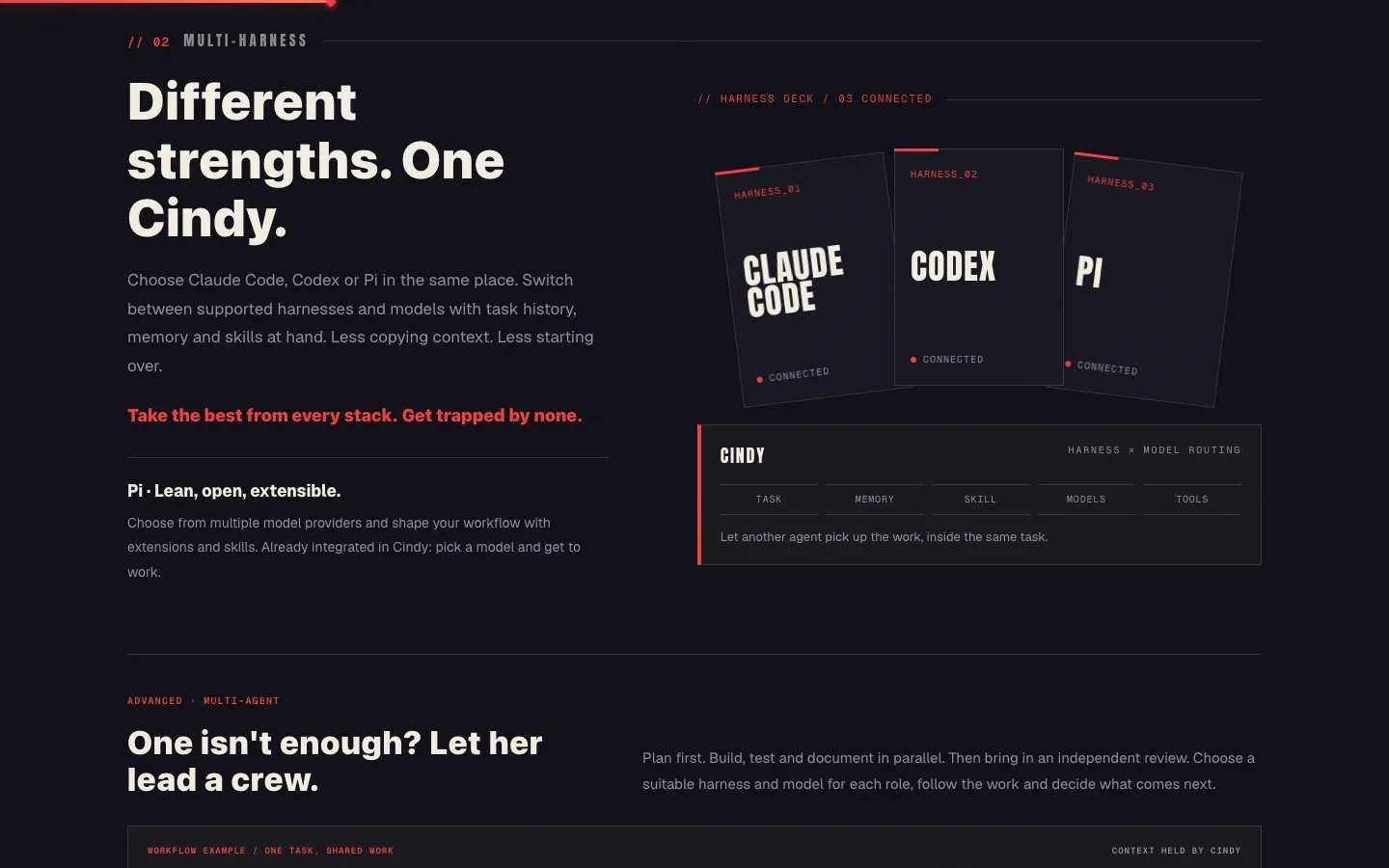
The three-agent section of the official site, captured on 28/10/2026.
Big task? Build a team
From the + in the text box, choose Collaboration. Your session becomes the lead and you add workers: for each one you pick the agent (Claude Code, Codex or Pi), the model and a role name, like “tests” or “review”. The site's idea: one plans, others build parts at the same time and one reviews independently.
Watch out: each worker is a full session, spends from your plan and by default starts with full access (no approval at each step). You can switch it to Auto-review in the panel.
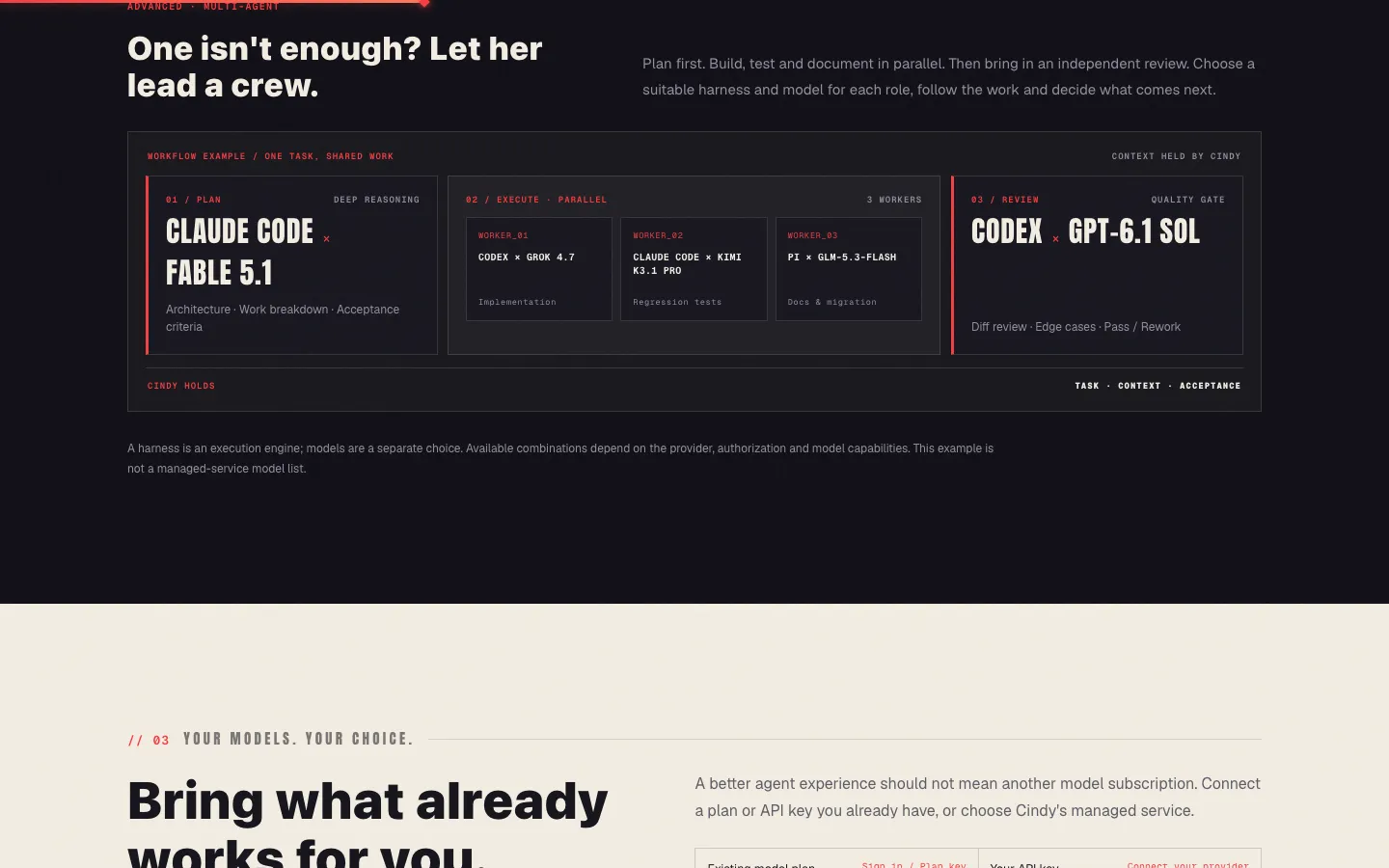
The official site's team example, captured on 28/10/2026. The models in the diagram (Fable 5.1, GPT-6.1 Sol and others) are the site's example, not a list of what you will get.
What is true (and what the video simplified)
- “Completely free”: the app is free (Apache-2.0). The AI is your plan or key, and its limits and billing still apply.
- “Cindy passes on all the information”: not quite. The session stays in Cindy, but the new agent gets a handoff summary and some details may be lost.
- “For Android”: yes, but APK only from the official site, not on Google Play.
- “Your computer becomes your server”: true, which is why it has to stay on and online.
- “It is in beta”: the project is new (version 0.1) and changes almost daily. The latest desktop release (0.1.119, 28/10/2026) is marked stable on GitHub, but several earlier ones were “-beta” and local models are still marked Beta on the site. Expect bugs.
- The screens in the video are the official demo images from cindy.app (“Orbit Garden”, “GPT-6.1-Sol” and “7d 65% left” are the site's sample data). The “65% → 0%” was our own animation about usage. We did not test the app.
Going further
Optional. Documentation step, not tested by us (README, docs/linux.md and the app's official help manual, commit of 28/10/2026).
Linux Arch / Omarchy (official command from the download page; run it as your user, without sudo). On Ubuntu/Debian, use the .deb from the page:
curl -fsSL https://hotfix.cindy.app/cindy/install-omarchy.sh | bashBuild the app from source (for developers; needs Node.js 22, pnpm 10 and Git LFS):
git clone https://github.com/makecindy/cindy.gitcd cindy && git lfs pull && pnpm installpnpm restart:desktop:remote --region=globalThe last one opens the app in development mode with your Cindy account (use --region=global outside mainland China). The full contributor walkthrough is in the project's CONTRIBUTING.en.md.
Settings worth knowing (names as in the app):
| Where | What it does |
|---|---|
| Settings → Providers | Connect plans (Claude, ChatGPT, SuperGrok, Kimi Code, MiniMax, GitHub Copilot), API keys and local models |
| Settings → Providers → Allow remote use | Lets your other computers use a model configured on this one |
| Settings → Remote Connection | Phone control, remote desktop and remote machines over SSH (the agent runs on your own server) |
| Settings → General → App Behavior | Keep computer awake |
| Settings → General → Collaboration | Worker limits per team (default 5 warning, 8 maximum, up to 20) |
| Settings → General → Experimental | Beta channel: get updates early (not shown on Linux) |
| Settings → About → Usage statistics | Turns usage telemetry off (on by default) |
| Automations (sidebar) | Recurring tasks (hourly, daily, weekly…). They only run while Cindy is open on the computer |
| Settings → IM bots | Send tasks from Slack or Telegram (official bots, account required) |
Local models (free, running on your computer): Ollama, llama.cpp or LM Studio, under Add provider → Local models. The site marks them Beta and results depend on your hardware.
The app's official manual, on this site (Apache-2.0, XD Inc., unchanged, in English): the 33 help topics shipped inside the app (getting started, phone, remote, models, teams, automations, usage and billing…), with the licence and NOTICE: Cindy's official manual (ZIP, 81 KB).
Prices of Cindy's optional service (cindy.app/pricing, 28/10/2026). Only if you do not want to use your own plan:
| Plan | One month | On a recurring monthly plan |
|---|---|---|
| FREE | US$ 0 | US$ 0 |
| PLUS | US$ 20 | US$ 16 |
| SUPER | US$ 100 | US$ 80 |
| ULTRA | US$ 200 | US$ 160 |
In Brazilian reais, PLUS on the monthly plan is about R$ 85 a month (PTAX rate of 27/10/2026, R$ 5.3346, before card fees and taxes). Pay-as-you-go credit (from US$ 10) does not expire.
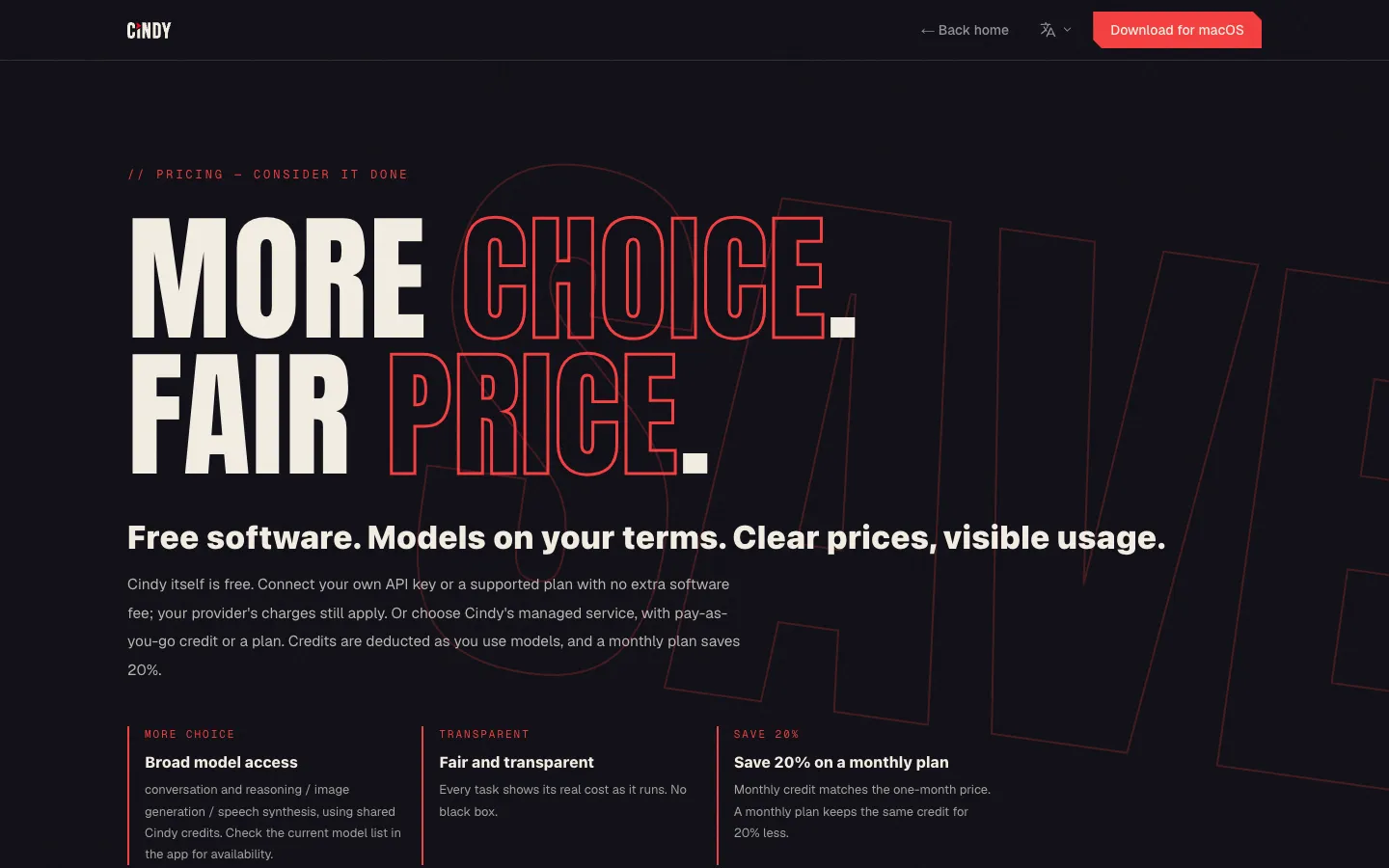
The official pricing page, captured on 28/10/2026.
Quick questions
Do I need to know how to code?
No. Download the app, sign in and write the request. The agents come from the coding world (Claude Code and Codex), but Cindy was launched as a ready-to-use environment that lowers the barrier to using AI, with no complicated setup: you say what you need and it starts (TapTap's official announcement, 26/07/2026). What helps: basic English, because the app is in English.
Is it free?
The app is free and open source (Apache-2.0). The AI is not: you use the plan you already pay for (Claude or ChatGPT), an API key, a local model or Cindy's paid service. Your plan's limits and billing still apply, and a team of agents spends faster.
Does it work on my computer? And on my phone?
Computer: Mac (macOS 13+, Apple silicon or Intel), Windows 10+ (x64) and Linux (Ubuntu/Debian and Arch). Phone: iPhone/iPad (iOS 16.4+) and Android via APK. The phone does not run tasks by itself: it controls the computer, which must be on, online and on the same account.
Is it safe?
- The app's code is open (Apache-2.0) and auditable. It is made by XD Inc., the games company that owns TapTap. Cindy's server is closed (a separate repository) and the app connects to it by default.
- Your files stay on your computer. Remote access is not whole-disk sync, only the task's files. But what goes to the AI model (conversation and file excerpts) is sent to the service you chose.
- Usage telemetry is on by default (no chats or files, but tied to your account). Turn it off in Settings → About → Usage statistics.
- Mind the permissions: whoever controls the computer from the phone can touch everything the agent can, and remote desktop sees the whole screen. Turn on only what you need and use Auto-review instead of full access when in doubt.
- It is a new, fast-changing project: start with a test folder, not your most important work.
Does it work in Portuguese or Spanish?
The agents understand both, so you can write in them. The app interface is in English (with Japanese, Korean and Chinese options) as of 28/10/2026.
Honest limits
- It does not make AI free or unlimited. Your plan's limits and billing still apply.
- Computer on and online, on the same account with permissions on. Without that, the phone does nothing.
- No Cindy account, no phone. “Skip Sign-In” runs local agents only, without server features.
- Three agents: Claude Code, Codex and Pi. Not “any agent”.
- Switching agents is a baton pass: some details may be lost.
- Android APK only, not on Google Play. App in English only.
- New project (version 0.1, launched in July 2026): expect changes and bugs.
- The numbers (versions, prices, exchange rate) were checked on 28/10/2026 and change. We did not test the app or measure anything.
Credits and source
- Project: Cindy, by XD Inc. (“Copyright 2026 XD Inc.”), Apache-2.0 licence, with the NOTICE. The manual ZIP comes from the repository at commit
4f92c17(28/10/2026), unchanged. The Cindy character and brand were not copied: the README excludes trademarks from the Apache licence. - Launch: announced by Huang Yimeng (黄一孟), CEO of XD and co-founder of TapTap, at TDW 2026 on 26/07/2026 (TapTap's official post).
- Official source: the site cindy.app, the pricing page and the code at github.com/makecindy/cindy.
- Exchange rate: PTAX of 27/10/2026, Banco Central do Brasil.
- This guide is not affiliated with XD, Anthropic or OpenAI.
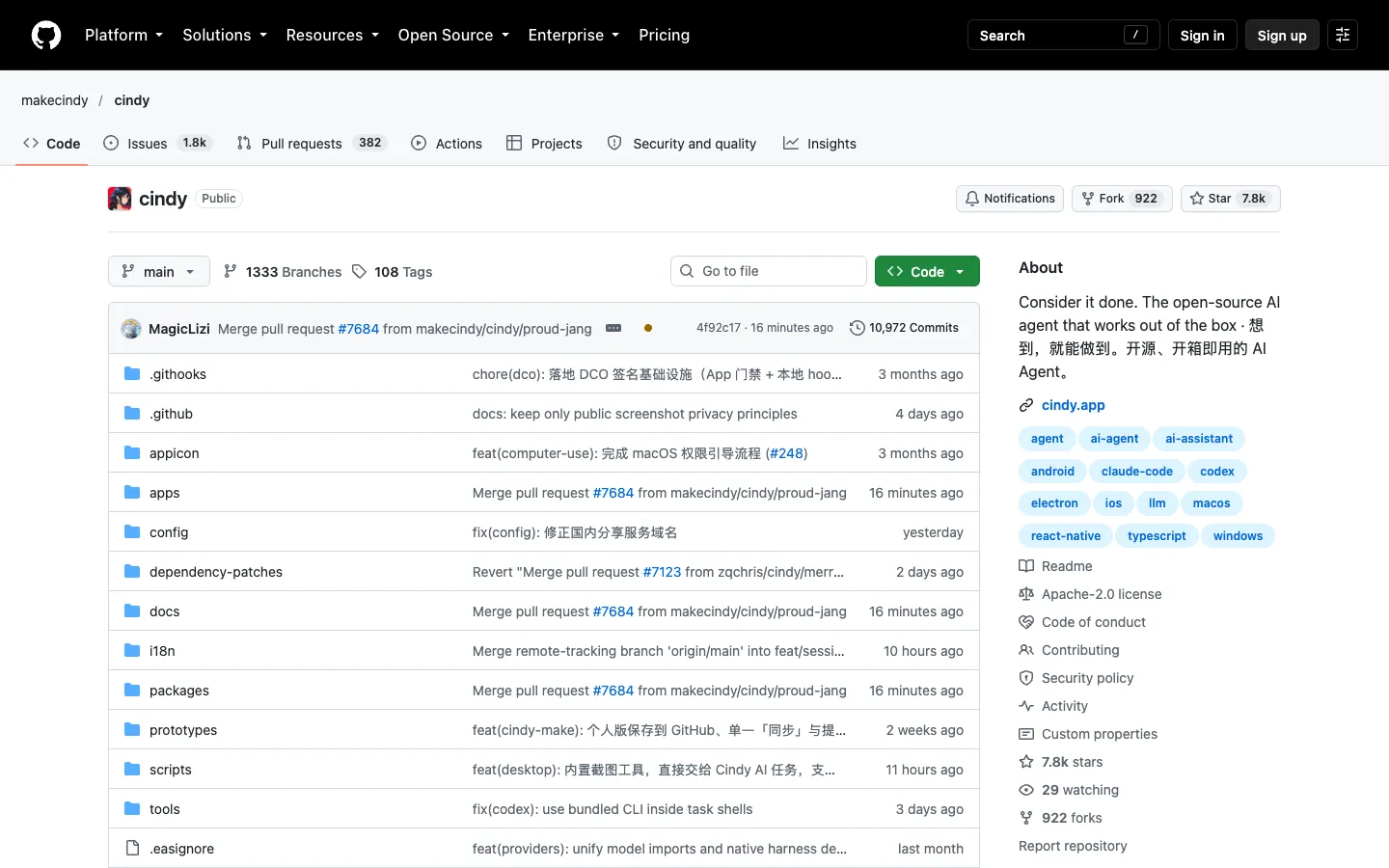
Public page of the project on GitHub, captured on 28/10/2026.
Comments
Have a question or something to add? Join the conversation.
No account needed. Select Sign in and choose a name to comment.
Loading the conversation…
Comment privacyCommenting guidelines