

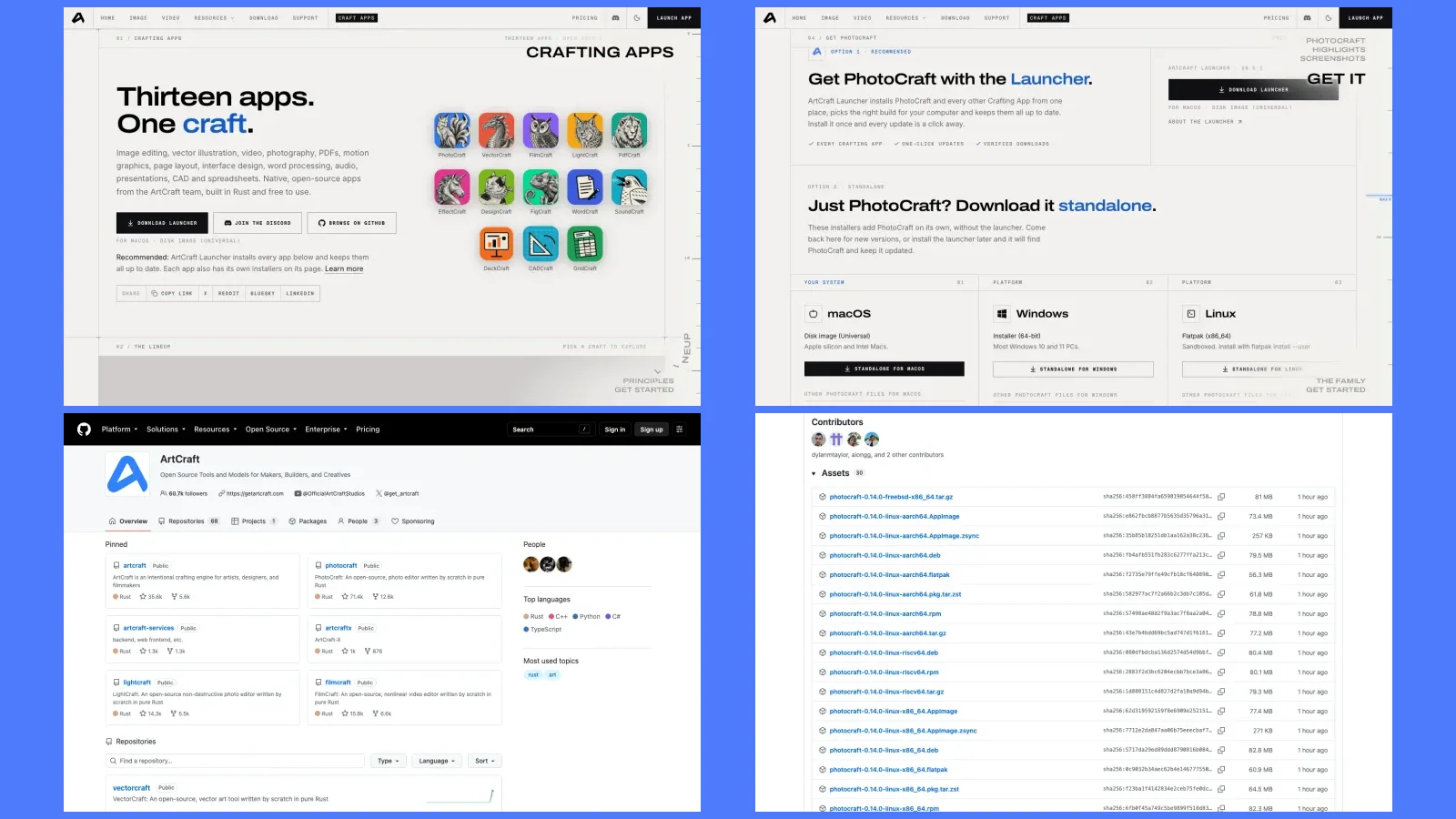

Commented ARTE? ArtCraft's Crafting Apps are 13 free, open-source desktop programs, each one modelled on a famous paid program: PhotoCraft is like Photoshop, FilmCraft is like Premiere Pro, EffectCraft is like After Effects, and the list goes all the way to spreadsheets, word processing, presentations and CAD. They run on Mac, Windows and Linux, with no account and no subscription.
The install steps come from the official pages (getartcraft.com and the GitHub READMEs) and WERE NOT TESTED BY US while preparing this guide. We did not install or open any of the apps to write these pages. Numbers are dated, because the project ships new versions almost every day.
| What | Detail |
|---|---|
| Official site | getartcraft.com/apps |
| Official GitHub | github.com/storytold (the organisation is called “ArtCraft”) |
| Made by | Brandon Thomas and the ArtCraft team, with AI agents and more than 300 contributors |
| Price and licence | Free. Open source, MIT or Apache-2.0 licence. No account, no telemetry |
| How many | 13 apps, plus the ArtCraft Launcher, which installs and updates all of them |
| Systems | macOS 11 or newer, Windows 10 and 11, Linux (glibc 2.35 or newer) |
| Stage | 0.x versions, “early alpha” or “in development” (on 23/10/2026: PhotoCraft v0.14.0, Launcher v0.7.0) |
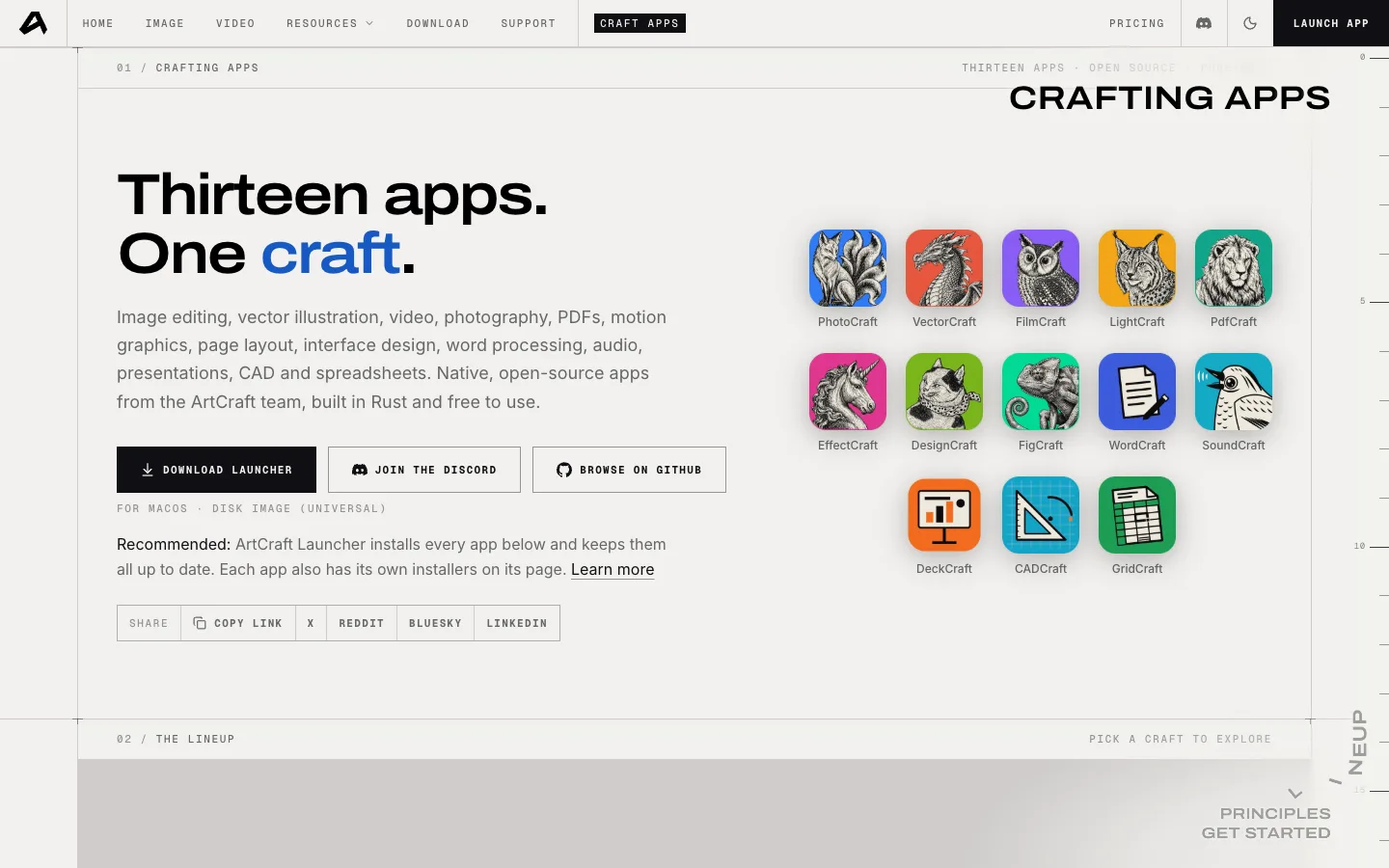
The official getartcraft.com/apps page, with “Thirteen apps. One craft.” and the icons of the 13 apps, captured on 23/10/2026. Not a local test.
Warning: download only from getartcraft.com or github.com/storytold. Unofficial sites and repositories copying the names already exist (see step 2).
Three words before you start
Open source means the code is published and anyone can read, use and change it under the licence (here, MIT or Apache-2.0). Alpha is a very early version: it works, but it still has bugs and missing parts. An installer is the file you download to put the program on your computer (.dmg on Mac, .msi on Windows, AppImage, .deb or .rpm on Linux).
Understand what the 13 apps are
Each app is a native program, written from scratch in the Rust language, that runs on your computer and opens your local files. The project calls this clean-room: built from public specifications and the observed behaviour of the programs, without copying any Adobe or Microsoft code.
| App | What for (official site) | Like the paid program | Stage on the site (22/10/2026) |
|---|---|---|---|
| PhotoCraft | Image editing | Photoshop | Early alpha |
| VectorCraft | Vector illustration | Illustrator | In development |
| FilmCraft | Video editing | Premiere Pro | In development |
| LightCraft | Photo library and raw developing | Lightroom | In development |
| PdfCraft | Working with PDFs | Acrobat | Early alpha |
| EffectCraft | Motion graphics and visual effects | After Effects | In development |
| DesignCraft | Page layout and publishing | InDesign | In development |
| FigCraft | Interface design and prototyping | Figma | Early alpha |
| WordCraft | Word processing | Word | In development |
| SoundCraft | Audio workstation | Pro Tools | In development |
| DeckCraft | Presentations | PowerPoint | In development |
| CADCraft | CAD and technical drawing | AutoCAD | In development |
| GridCraft | Spreadsheets and data analysis | Excel | In development |
The “like” column comes from the repositories themselves (PhotoCraft's README, for example, says “clean-room reimplementation of Adobe Photoshop”) and from the press. Photoshop, Premiere, Word, Excel, AutoCAD and the other names are trademarks of their owners; the Crafting Apps are not products or partners of Adobe, Microsoft, Autodesk, Avid or Figma.
Honest limits: “like” means similar menus, shortcuts and panels, not the same program. Step 5 shows how much each one still lacks, according to its own makers.
Download only from the official place
The only official addresses are:
- getartcraft.com/apps: pick the app and use “Download Launcher” (recommended) or “Option 2 · Standalone” (that app only).
- github.com/storytold: each app has its own releases page, for example github.com/storytold/photocraft/releases/latest.
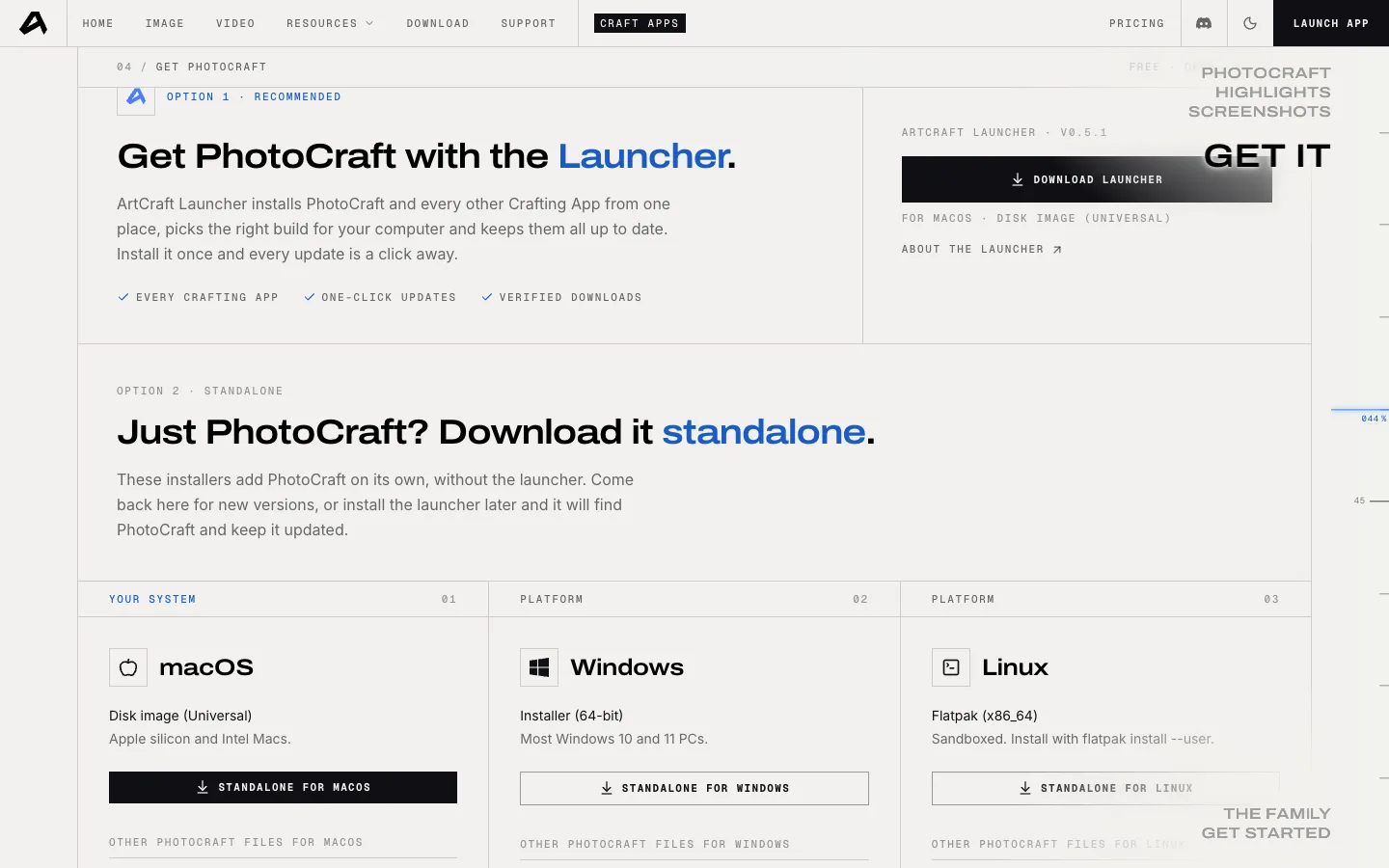
The “Get PhotoCraft” section of the official PhotoCraft page, with Option 1 (Launcher) and Option 2 (standalone installers for macOS, Windows and Linux), captured on 23/10/2026. Not a local test.
Watch out for copies. On 22/10/2026 we found unofficial repositories and sites with near-identical names, such as photocraft-desktop/photocraft, craft-launcher/craft-launcher, photocraft.im and craftsuite.net, plus “downloader” scripts. If the address does not start with getartcraft.com or github.com/storytold/, do not download.
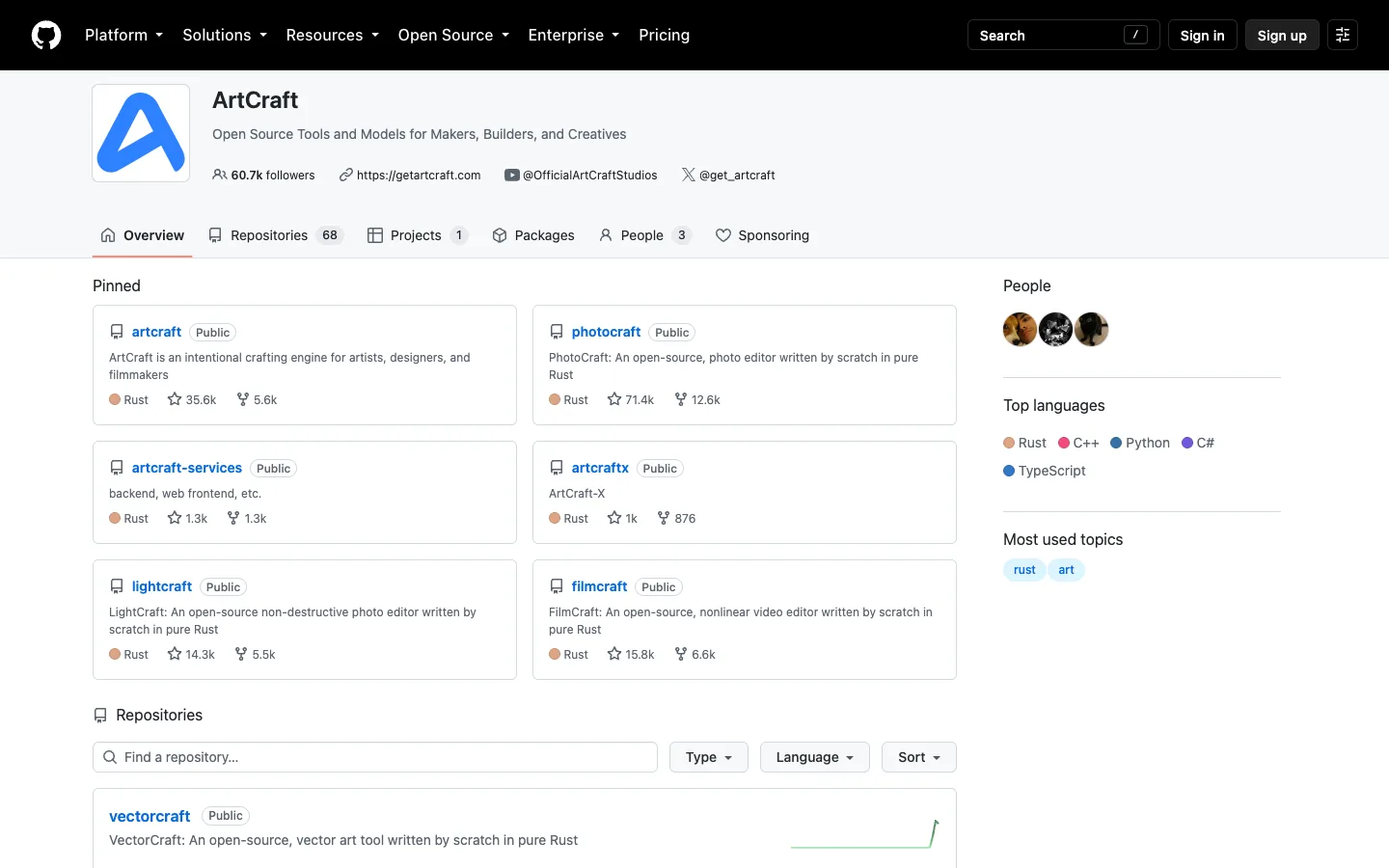
The official ArtCraft (storytold) organisation page on GitHub, with the app repositories, captured on 23/10/2026.
Optional, to check the file. Every release ships a SHA256SUMS.txt file with the “fingerprint” of each installer. After downloading, open the Terminal in your Downloads folder and compute your file's fingerprint (replace the name with the file you downloaded). On Mac:
shasum -a 256 artcraft-launcher-0.7.0-macos-universal.dmg
On Linux:
sha256sum artcraft-launcher-0.7.0-linux-x86_64.AppImage
On Windows, in PowerShell:
Get-FileHash .\artcraft-launcher-0.7.0-windows-x64.msi
The code you get must match the line with the same file name in SHA256SUMS.txt. If it is different, delete the file.
Option 1: install the ArtCraft Launcher (recommended)
NOT TESTED BY US. The Launcher is an app that installs, updates and opens all the others. According to its README, it picks the right installer for your system and processor, checks the SHA-256 before installing and tells you when a new version is out. Download it from github.com/storytold/craft-launcher/releases/latest or with the site's “Download Launcher” button. The names below are for version 0.7.0 (23/10/2026); swap in the version number you download.
Mac (macOS 11 Big Sur or newer, Apple silicon or Intel)
- Download
artcraft-launcher-0.7.0-macos-universal.dmg(signed and notarized by Apple, according to the README). - Open the file and drag ArtCraft Launcher to the Applications folder.
- Open the Launcher and click “Install” on the app you want.
Windows (10 and 11)
- Download
artcraft-launcher-0.7.0-windows-x64.msi(most PCs). For Windows on ARM (Snapdragon), use the-arm64.msi; for 32-bit Windows, the-x86.msi. - Double-click it. According to the README, it installs for your user only and does not ask for an administrator password.
- Open the Launcher and install the apps you want.
Rather not install anything? Download the -windows-x64-portable.zip, unzip it and open artcraft-launcher.exe.
Linux (x86_64 or aarch64, glibc 2.35 or newer: Ubuntu 22.04+, Debian 12+, Fedora 36+)
Pick one format. In the Terminal, go to the folder with the file:
cd ~/Downloads
AppImage (any distribution, no install). Make the file executable:
chmod +x artcraft-launcher-0.7.0-linux-x86_64.AppImage
And open it:
./artcraft-launcher-0.7.0-linux-x86_64.AppImage
Debian, Ubuntu, Mint, Pop!_OS:
sudo apt install ./artcraft-launcher-0.7.0-linux-x86_64.deb
Fedora, openSUSE, RHEL:
sudo dnf install ./artcraft-launcher-0.7.0-linux-x86_64.rpm
Honest limits: the Launcher is also a 0.x version. The project's issues have reports of it “not opening” on Windows 11 and crashing on older Macs patched with OpenCore Legacy Patcher (craft-launcher issues #38, #46 and #165, seen on 22/10/2026). If it won't open, use option 2.
Option 2: download one app, without the Launcher
NOT TESTED BY US. On the app's page on the site, use “Option 2 · Standalone”, or open the app's releases page on GitHub and look under “Assets”. The example is PhotoCraft v0.14.0 (23/10/2026); for the other apps, replace photocraft with the app's name.
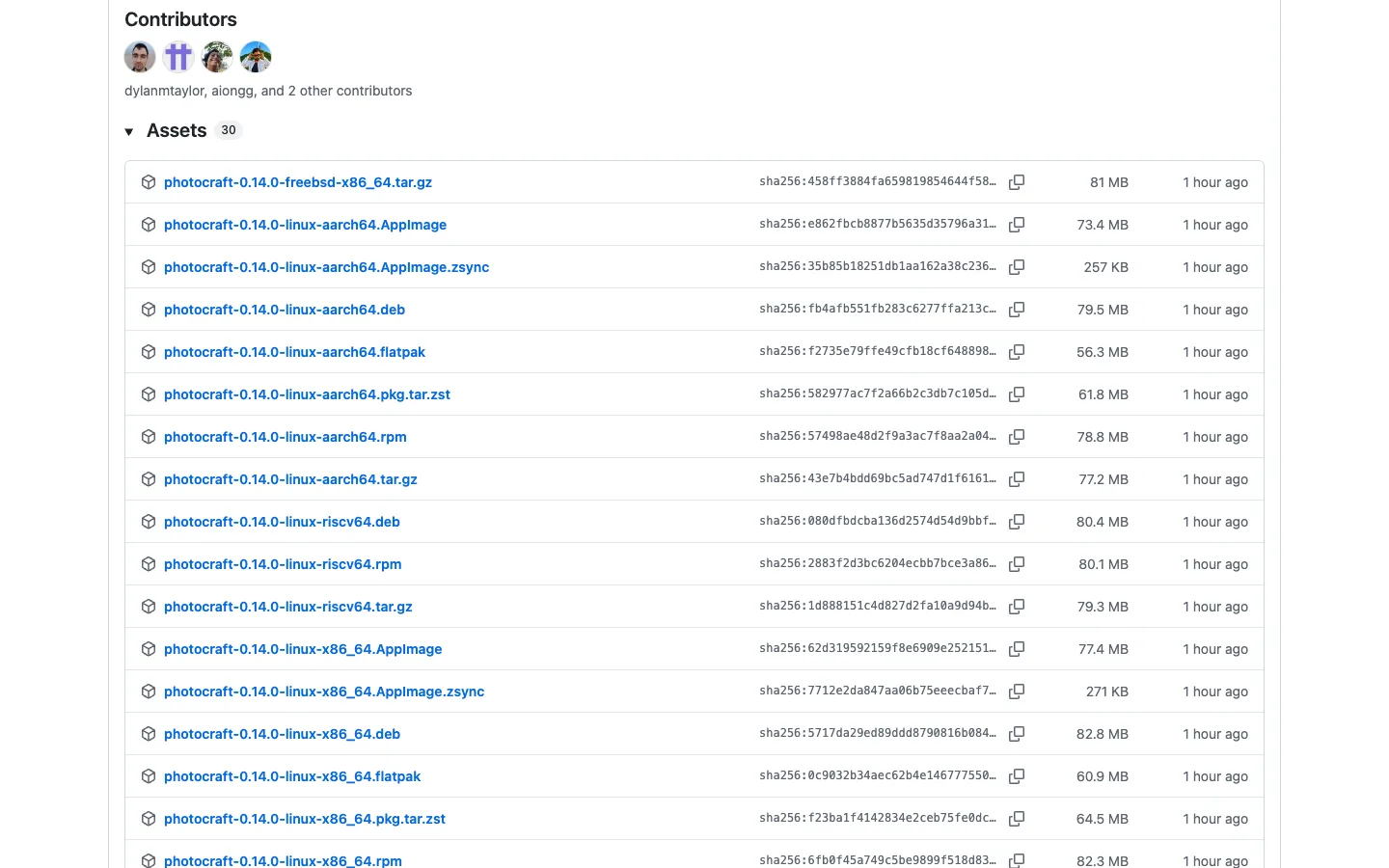
The “Assets” list of the PhotoCraft v0.14.0 release on the official GitHub, with the installers and each file's SHA-256, captured on 23/10/2026. Not a local test.
- Mac:
photocraft-0.14.0-macos-universal.dmg. Open it and drag the app to Applications. - Windows:
photocraft-0.14.0-windows-x64.msi(installer) orphotocraft-0.14.0-windows-x64-portable.zip(unzip and open, no install). - Linux: AppImage,
.debor.rpm, with the same commands as step 3 and the file name swapped.
On Linux you can also use Flatpak (it needs the freedesktop runtime from Flathub, which flatpak offers to install with it). Install:
flatpak install --user photocraft-0.14.0-linux-x86_64.flatpak
And open:
flatpak run ai.storyteller.photocraft
Honest limits (Linux): PhotoCraft's README warns that on Wayland, dragging a file onto the window does not open the image yet. Use File › Open, or start the app under XWayland:
WAYLAND_DISPLAY= photocraft
Before you use it for work, know the limits
The makers themselves say the apps are not ready for everyday professional work yet. The numbers are theirs:
- PhotoCraft: the README says “it is not yet a Photoshop replacement for daily professional work”. The parity document estimates about 45% “ready for real work”. Missing: generative AI features, 15 tools, depth in typography and plug-in compatibility. It opens and saves PSD: according to the README, 307 of 309 test files render the same after being saved again.
- FilmCraft: about 86% of the features, but about 56% “ready for real work” (measured on 10/10/2026). It does not import Premiere projects (
.prproj); it takes FCP7 XML, AAF and OTIO. No VST3, AU or OpenFX plug-ins. - EffectCraft: about 91% of the tracked features and about 45% of the way to professional production. It does not open After Effects projects (
.aep) or use After Effects plug-ins. The README warns that Linux and Windows users have hit basic interaction bugs. - Lots of open issues: on 22/10/2026 there were 2,921 open issues and PRs on PhotoCraft, 1,409 on FilmCraft and 784 on EffectCraft.
- Memory: OMG! Ubuntu measured about 5 GB of RAM after opening a PSD (October 2026).
For the other apps, we did not check compatibility with Word, Excel, PowerPoint or AutoCAD files. Test with a copy of your files, never the original.
What is true (and what the video simplified)
- “A guy used Claude and remade Photoshop”: the lead is Brandon Thomas, with the ArtCraft team and more than 300 contributors (PhotoCraft showed 333 on GitHub on 22/10/2026). AI did a lot: PhotoCraft's credits file (version of 10/10/2026) lists Claude Opus 5.5 in 736 commits, and the docs mention 8 agents working in parallel. But it was not an AI alone, nor one person alone.
- “Remade Photoshop, After Effects and Premiere”: these are new programs, written from scratch, that copy the way you work. They are not Adobe's and are not compatible with Premiere projects (
.prproj), After Effects projects (.aep) or Adobe plug-ins. PSD, yes. - “Released it for free”: the 13 apps are free. The company ArtCraft separately sells its AI studio for generating images and video (on 22/10/2026: Basic US$ 10, Pro US$ 35 and Max US$ 60 a month, at getartcraft.com/pricing). You don't need it to use the apps.
- “There's Excel, Word, PowerPoint and even AutoCAD”: these are GridCraft, WordCraft, DeckCraft and CADCraft, independent apps in the style of those programs, not Microsoft or Autodesk products.
- “Before Adobe takes it down”: as of 22/10/2026 we found no Adobe statement or action against the project.
- “It's still a test version”: right. All of them are 0.x versions, marked alpha or in development.
Going further
Optional, for people who code. Commands from the READMEs — NOT TESTED BY US.
AI agents: each app has a command-line tool. PhotoCraft, for example, can be driven by an agent over MCP (the README gives this command):
photocraft-cli mcp
Build from source (needs Rust 1.90 or newer). Get the code:
git clone https://github.com/storytold/photocraft
Go into the folder:
cd photocraft
And run:
cargo run --release -p photocraft
Community and support: the ArtCraft Discord, linked from the READMEs.
Quick questions
Is it really free?
Yes, the 13 apps and the Launcher are free and open source (MIT or Apache-2.0), with no account and no telemetry. What is paid is a different product from the company, the AI studio.
Does it replace Photoshop or Premiere in my work?
Not yet, according to the makers themselves. For learning, testing or simple pieces, it can be worth it. For client deliveries, keep the program you already use until you have tested the new app with copies of your files.
Does it open my Adobe files?
PhotoCraft opens and saves PSD. FilmCraft does not open .prproj and EffectCraft does not open .aep.
Is it in Portuguese or Spanish?
We did not check. The sites, READMEs and official screenshots are in English.
Does it work on a phone?
No. These are desktop apps: Mac, Windows and Linux. Twelve of the 13 also have a browser build (WebAssembly), but it is for people who can host it, not a ready-to-use website.
Is it safe?
The official installers are signed (Mac notarized, Windows code-signed) and every release publishes the SHA-256 of its files. The bigger risk is the unofficial copies: download only from getartcraft.com or github.com/storytold. Open source is not an audit, and this is alpha software: keep copies of your files.
Comments
Have a question or something to add? Join the conversation.
No account needed. Select Sign in and choose a name to comment.
Loading the conversation…
Comment privacyCommenting guidelines