



Did you comment FUTURO? Here is your step-by-step guide to using MiroFish as a rehearsal for your idea, not a crystal ball. Start without installing anything: work through the example below and prepare your material. Full installation instructions come later.
Start here, even if you do not code
Imagine an organization app that costs R$ 20 per month. Before building it, you want to find better questions: does the price put people off? Is the benefit clear? What information is missing? MiroFish creates AI characters from the material you provide and has them talk on simulated social networks. At the end, it generates a report and lets you interview the agents.
This is not research with real customers. The opinions come from AI models. Use the results to plan interviews and small tests with real people, not to decide on their own whether an app will sell.
1. Understand what you can do without installing anything
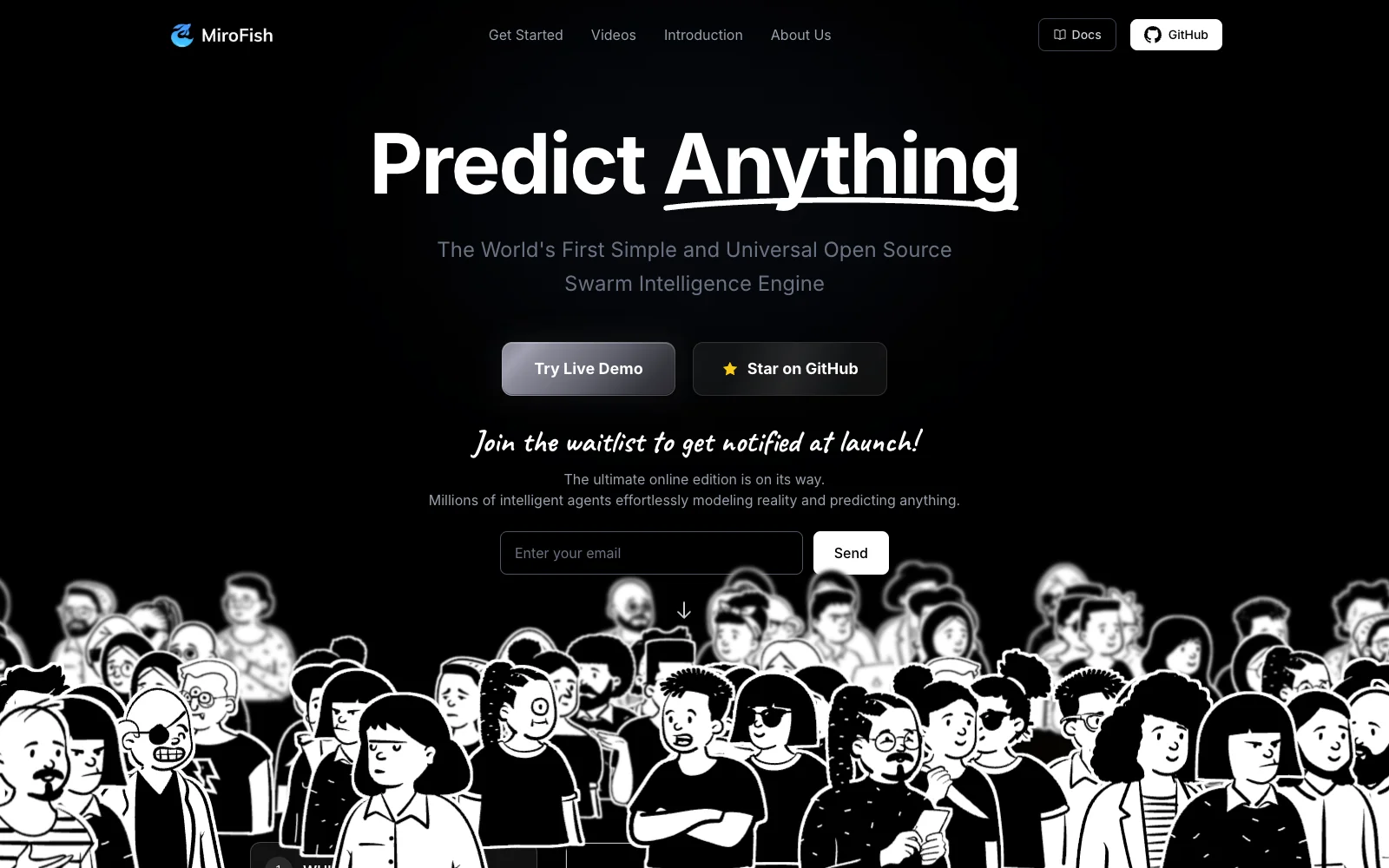
This is a real screenshot of the official demo's public page, checked on 20/10/2026:
The demo shows a static replay, based on a Chinese case, with 55 agents and 40 rounds in this example (20/10/2026). No AI is connected to answer new questions. It does not test your app or let you conduct a real live interview. Do not treat claims about the people in the example as facts.
To follow the workflow, think of five stages: material → map of people and relationships → characters → conversations → report and interviews. The simulated networks resemble Twitter and Reddit; these are not posts published on those networks.
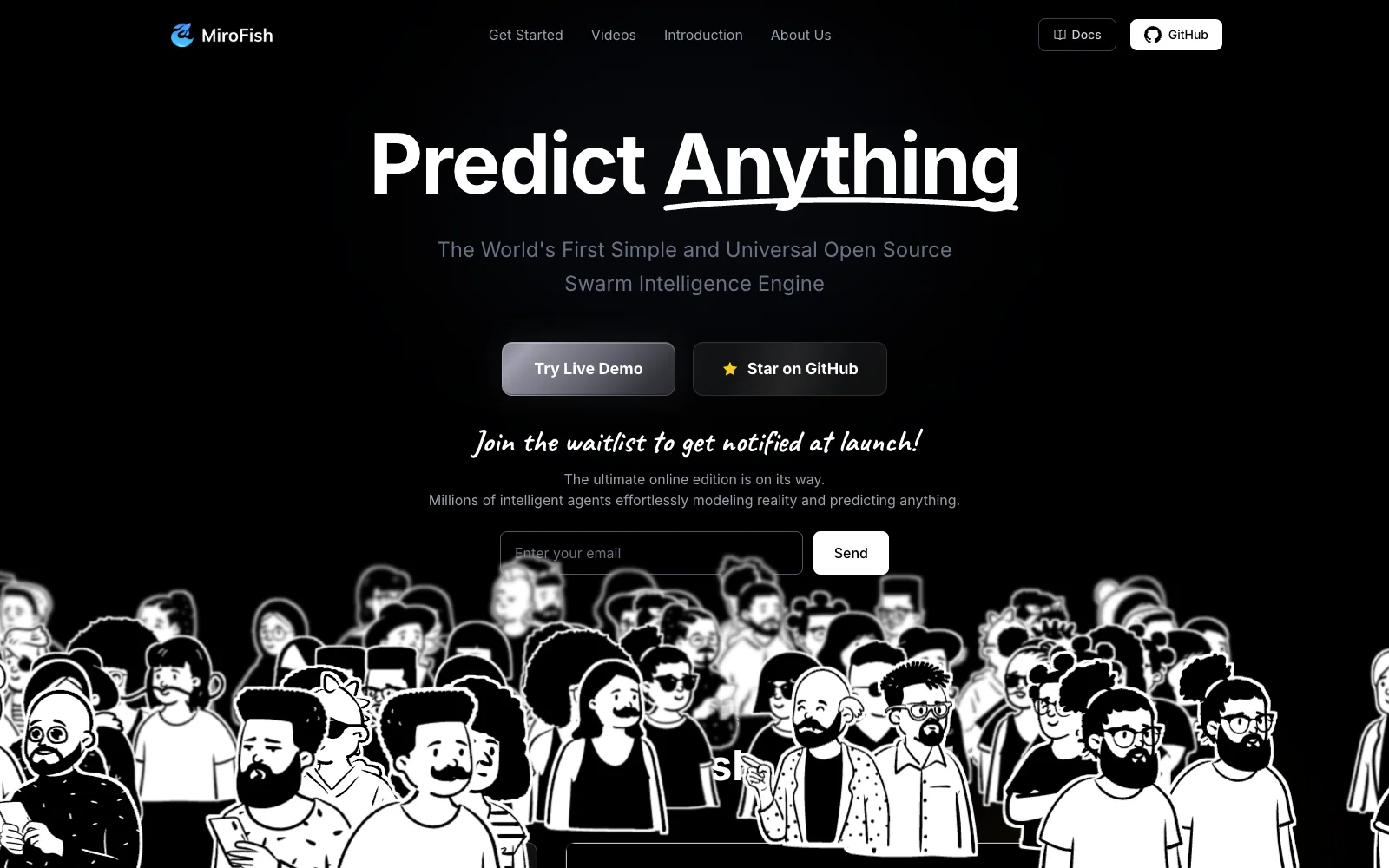
The official website still showed a waiting list, not an online app ready to test your idea, on 20/10/2026. Do not leave your details on websites that only look official.
2. Prepare a small example right here
Copy the text below into a plain-text file named ideia-app.txt. This is a made-up example to experiment with, not a test we ran. Do not include real customers, private conversations, or personal data. Explicitly describe the actors and their interests: the program generates profiles from the entities selected from the material, not a fixed crowd of customers.
PROJECT: organization app for small service providers in Brazil.
HYPOTHESIS: R$ 20 monthly subscription. There are no customers or validation yet.
OFFER: organize orders, deadlines, and reminders. Does not issue invoices or move money.
FICTIONAL ACTORS:
Ana: self-employed manicurist, uses WhatsApp and paper; worries about paying for something complicated.
Bruno: does home maintenance; misses deadlines and wants to save time.
Carla: already uses a free planner; would only switch for a concrete benefit.
FICTIONAL ASSOCIATION: group of service providers who discuss costs and privacy.
UNCERTAINTIES: real willingness to pay, trust, frequency of use, and competitors.
Do not attribute statistical representativeness to these characters.
The number of agents depends on the entities extracted and selected. Do not expect one agent for every word or person mentioned. Personas are enriched by AI, may contain invented details, and are not clones of real consumers.
3. Save the question for your simulation
How might these fictional actors react to an organization app costing R$ 20 per month? Simulate questions, objections, and conversations. Separate what came from the material from what the AI inferred. Do not invent real research, conversion rates, or sales forecasts. At the end, list hypotheses and five questions for interviewing real people. Write in Brazilian Portuguese, if the model supports it.The interface we checked offers English and Chinese. Asking for responses in Portuguese does not mean the interface is in Portuguese; the quality of this workflow still needs manual testing. If you do not use a terminal, stop here and ask someone you trust to help with installation. The sources we checked currently provide no official one-click way to run your own scenario without accounts and configuration.
Going further
Steps from the documentation, not tested end to end by us. Checked on 20/10/2026 against snapshot 7657031ac01184afe2cb220f5ee3545573b5e843. We have not run a paid simulation, validated results in Portuguese, or made any promises about cost or performance. The commands below are for a new installation folder, not for use inside another project.
Requirements and accounts
You need a computer, a terminal, Git, Node.js with npm, Python 3.11 or 3.12, and uv. Prefer Node 22.12+ in the 22 release line: although the README says Node 18+, the Vite version pinned by the project requires a newer version. On Windows, use a WSL2 Linux environment for these shell commands; we have not tested that path either. There is no documented local GPU requirement for this workflow using external APIs.
Install Node using the official installer from nodejs.org, Git from git-scm.com, and uv following docs.astral.sh/uv/getting-started/installation. These tools are prerequisites, not included AI services. Create an account with an AI provider offering an OpenAI-compatible API and a Zep Cloud account for memory. Set spending limits on the accounts before running anything.
Download a pinned version
git clone https://github.com/666ghj/MiroFish.git
cd MiroFish
git checkout 7657031ac01184afe2cb220f5ee3545573b5e843
cp .env.example .env
chmod 600 .env
This downloads the full application, including its AGPL-3.0 license. It is not a Cauhi installation or a made-up copy of the interface. Review the code before running it. If the MiroFish folder already exists, do not paste the block without adjusting the destination.
Configure both keys on your computer
Open .env in a local text editor. Replace the placeholders below with your keys, only in the local file. Do not paste secrets into chats, screenshots, or repositories. The address and model are the project's suggestions; use an endpoint/model your account actually has access to.
LLM_API_KEY=SUBSTITUA_LOCALMENTE
LLM_BASE_URL=https://dashscope.aliyuncs.com/compatible-mode/v1
LLM_MODEL_NAME=qwen-plus
ZEP_API_KEY=SUBSTITUA_LOCALMENTE
OASIS_DEFAULT_MAX_ROUNDS=10
Delete the LLM_BOOST_API_KEY, LLM_BOOST_BASE_URL, and LLM_BOOST_MODEL_NAME lines from the example if you are not using the extra acceleration model. Simply leaving example placeholders is not enough. Boost is optional, not required to get started. This snapshot requires Zep Cloud; do not configure ZEP_API_URL, which the code rejects. There is no ready-made switch to local memory in this workflow.
Install and start
node --version
npm --version
uv --version
uv python install 3.11
npm ci
npm ci --prefix frontend
(cd backend && uv sync --frozen --python 3.11)
npm run dev
Open http://localhost:3000 in a browser on the same computer. The backend uses http://localhost:5001. In another terminal, these commands check whether the services respond, not whether the keys work:
curl --fail http://localhost:5001/health
curl --fail --output /dev/null http://localhost:3000
To stop, press Ctrl+C in the terminal running the application. If you see a version error, check Node and Python before reinstalling dependencies. If a port is already occupied, stop your own previous instance; do not kill unfamiliar processes.
Docker alternative
With Docker and Compose v2 already installed, in the downloaded folder and with .env filled in, the official procedure is:
docker --version
docker compose version
docker compose up -d
docker compose ps
docker compose logs --tail=100
Open http://localhost:3000. To stop without deleting uploads:
docker compose downWarning: the official Compose configuration uses the mutable latest image, which may not match the snapshot above. It exposes ports 3000 and 5001 and keeps files in backend/uploads. Docker does not eliminate the need for AI and Zep accounts. Image architecture, Apple Silicon, and execution were left for manual testing. Use only on a trusted computer and network, with a firewall; do not expose these ports to the internet. This is not a production deployment with hardened authentication.
Run your first scenario
- On the home screen, upload
ideia-app.txtand enter the example question. The code accepts TXT, Markdown, and PDF. Use a short, synthetic document. - Wait for the graph to be built. Review people, organizations, and relationships: the material may have been misinterpreted. Adjust the brief if the cast does not make sense.
- Prepare the simulation and check the generated profiles. Do not accept invented characters as data about your market.
- Choose a small number of rounds, such as 10, and confirm that value in the interface's effective configuration. The README recommends starting with fewer than 40 rounds because of usage; the
.envvalue is a default, not a guarantee that every simulation will use that number. - Monitor logs, calls, and balances. Stop if errors repeat or spending is unexpected. The simulation uses two simulated networks in parallel, not your social media accounts.
- Generate the report and examine its arguments and evidence. At the interaction stage, interview an agent or the ReportAgent. The public demo does not run these interviews live.
Which part of the proposal led to your objection? Cite the material or conversation that supports your answer. What did you infer without evidence? What should I ask a real customer before deciding?To compare R$ 20 and R$ 30 per month, save two briefs that differ only in price and run two separate simulations. The scenario is defined before execution. We do not promise you can change a variable midway and watch the reaction. Differences between runs may also come from AI randomness, not just the price.
Turn the report into a real test
Create a table with hypothesis, passage that prompted it, missing evidence, and next test. Fictional example: “setup seems complicated” → ask three people how they organize their orders and observe a task using a prototype. Three interviews do not validate an entire market; they are only a starting point. Do not use the percentage of favorable agents as a conversion forecast.
Quick questions and honest limitations
Do I need to know how to code? Not to understand the idea or prepare the brief. To run your own simulation, you currently need to configure a terminal, dependencies, and keys. If you do not know how, ask for help. The public demo is just a replay.
Is it free? The code is open source under AGPL-3.0. The AI API is pay-as-you-go, and memory requires Zep Cloud. On 20/10/2026, Zep advertised a free allowance of 10,000 credits per month, with limits; credits do not correspond to a fixed number of simulations. The allowance can run out, and AI tokens are billed separately. There is no fixed price in Brazilian reais for this walkthrough.
Does it work on my computer or phone? The installation described is for a computer. The browser opens the local interface, but it still depends on external services. It is not a native mobile app; on your phone you can read this guide and view the public demo, not install this environment. We have not tested your device's performance or compatibility.
Is it safe? Open source does not mean security-audited. Material and conversations may leave your computer for the AI provider and Zep. Do not upload medical records, private contracts, customer data, or content you do not have permission to share. Restrict ports, protect keys, monitor charges, and check the providers' terms. To modify and offer the software over a network, read the AGPL-3.0 obligations, including making the corresponding source code available where applicable.
Does it really predict the future? We found no accuracy benchmark in the official sources checked on 20/10/2026. Results depend on the material, profiles, and model biases. The reel uses a science-fiction analogy; that is not technical proof. The demo has 55 agents in this example, not proof of thousands of faithfully simulated people.
Sources, credits, and next steps
Independent guide written by Cauhi. Software by 666ghj and contributors, licensed under AGPL-3.0. Instructions were checked against the code and documentation, not executed with paid accounts. Real screenshots of public pages taken on 20/10/2026; we do not host third-party videos.
Official project and license · Official demo: static replay · Official website: waiting list when checked · Zep pricing · Source log and pending manual tests.
Comments
Have a question or something to add? Join the conversation.
No account needed. Select Sign in and choose a name to comment.
Loading the conversation…
Comment privacyCommenting guidelines