
Commented AUDITORIA? Here is the complete Claude SEO walkthrough, with every command, so you do not need to go anywhere else.
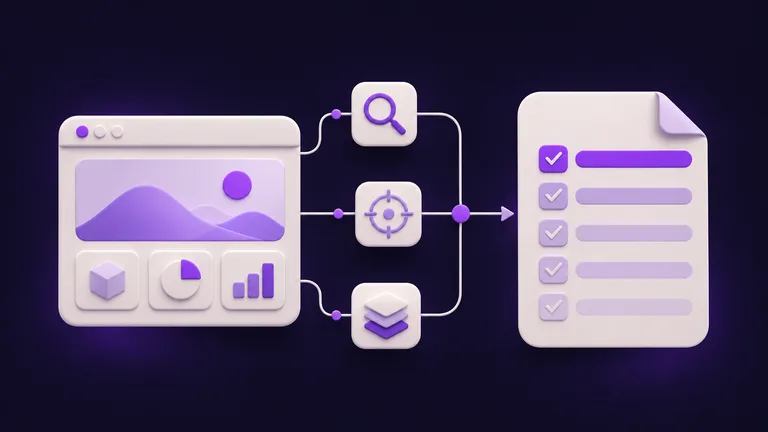
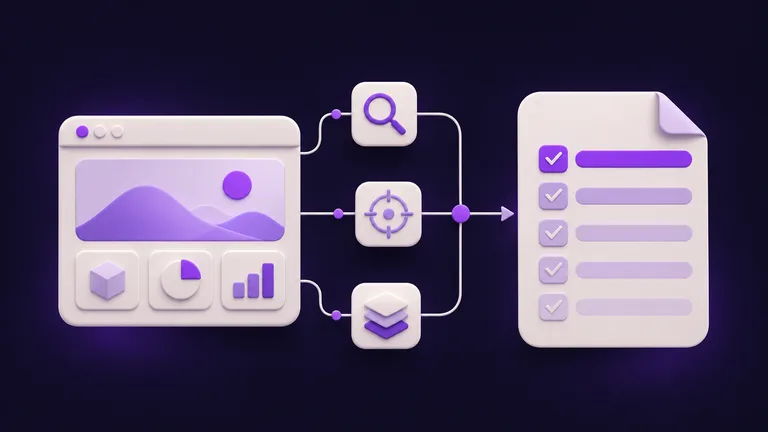
In plain words: it is a free plugin for Claude Code (MIT licence, created by Agrici Daniel). You give it your website address, up to 17 AI agents look at different parts of it at the same time (speed, content, structure, AI search…) and at the end you get a plan of what to fix first, in a file called ACTION-PLAN.md, ordered by priority: Critical > High > Medium > Low. It also works out what kind of site it is (SaaS, local business, e-commerce, publisher or agency) and adjusts the checks.
Why this matters to you: instead of a huge list of warnings nobody understands, you get the order to work in, with the reason for each item and how to know it worked.
First, five truths:
- The plugin is free, Claude Code is paid. Claude Code comes with a paid Claude plan (Pro and up: US$ 20 a month billed monthly, per claude.com/pricing on 03/11/2026). It is not “100% free”.
- NOT TESTED BY US. Paulo has not run this plugin. Everything below comes from the official README and docs (version v2.5.0, checked on 03/11/2026). We show no invented results.
- No guarantee of page one, more clients or more sales. It points out what to fix; fixing it (and Google deciding) is another story.
- The AI search score is an estimate.
/seo geogives a score from 0 to 100 based on your page’s signals. It does not ask ChatGPT or Google live, and it does not guarantee you will be cited. - It runs on a computer, inside Claude Code. Not in ChatGPT, not in Claude in the browser and not on a phone.
| What it is | Detail |
|---|---|
| Name | Claude SEO, a Claude Code plugin (MIT licence) |
| Creator | Agrici Daniel |
| Version | v2.5.0 (22/10/2026), checked on 03/11/2026 |
| Main command | /seo audit yoursite.com |
| Agents | 19 in total, up to 17 working at the same time |
| Time | 10 to 15 min, according to the creator |
| What you get | ACTION-PLAN.md (by priority), a full Markdown report and, if you ask, a PDF |
| You need | Claude Code (paid Claude plan) and Python 3.11 to 3.14 |
The simplest path
No coding: you paste one command at a time into Claude Code and read the plan at the end. Steps from the documentation, not tested by us.
Get what you need
- Claude Code on a computer (Mac, Windows or Linux), which comes with a paid Claude plan (Pro and up; see claude.com/pricing). The free plan does not include it. The docs ask for version 1.0.33 or newer.
- Python 3.11 to 3.14 on the computer (required by v2.5.0). Not sure? Ask Claude Code itself: “check whether I have Python between 3.11 and 3.14 and, if not, tell me how to install it”.
- Your website address, public (or a client’s who gave you permission).
No SEO service account or API key needed: according to the README it works without them.
Install the plugin (three commands)
Open Claude Code and paste one command at a time, waiting for each to finish. Step from the documentation, not tested by us (README, checked on 03/11/2026).
First, add the plugin’s “store”:
/plugin marketplace add AgriciDaniel/claude-seoThen install the plugin:
/plugin install claude-seo@agricidaniel-claude-seoFinally, let it get ready. This creates its own Python environment and installs a hidden browser (to open sites built with JavaScript), without touching the rest of your computer:
/seo setupWant to check everything is in place? This command only looks, it changes nothing:
/seo doctorRun the audit
Replace yoursite.com with your site’s address (the example is ours):
/seo audit yoursite.comWhat happens, according to the README: it detects the type of site, up to 17 agents audit in parallel (technical, content, structured data, speed, AI search and more) and everything becomes one plan ordered by priority. The creator says 10 to 15 minutes; on your site it may take more or less.
Watch your Claude plan: five of these agents use the Opus model, so a full audit uses more of your limit than checking a single page. Want to start light? Use /seo page (see the command list below).
Read the plan: ACTION-PLAN.md
At the end it saves a yoursite.com-audit/ folder on your computer. The main files:
| File | What is in it |
|---|---|
ACTION-PLAN.md | The plan, by priority: Critical > High > Medium > Low |
FULL-AUDIT-REPORT.md | The full report |
findings/ | What each specialist found (technical, content, schema…) |
audit-data.json | The data, used to build the PDF |
How to read the priorities (definitions from the official site):
- Critical: can stop Google from reading or indexing the site. Look now.
- High: clear risk for visitors or search. Within 1 week.
- Medium: an improvement opportunity. Within 1 month.
- Low: nice to have. Goes on the list.
Did not understand an item? Ask Claude Code itself:
Our example request, not tested. The overall 0 to 100 score is a heuristic for prioritising, not a Google score or a traffic forecast (the official site says so itself).
Business with an address? Run local
For a clinic, shop, restaurant or service business in your city:
/seo local yoursite.comIt looks at Google Business Profile signals, reviews and whether your name, address and phone match everywhere. Important: without an extension it reads what is visible on your page. Reading Google Maps listings and reviews live needs the DataForSEO extension (paid). /seo maps has a free level (Tier 0) with open map data and a checklist.
AI search: the GEO score
GEO means preparing a page to be understood and cited by AI answers (Google AI Overviews, AI Mode, ChatGPT, Perplexity, Gemini):
/seo geo yoursite.comYou get a score from 0 to 100, broken down by criteria (how easy your text is to quote, whether AI crawlers can reach the site, your brand’s presence on Wikipedia, Reddit, YouTube and LinkedIn) plus the highest-impact changes. It is an estimate built from the page’s signals: it does not ask ChatGPT or Google live. Actually measuring where you show up needs the paid SE Ranking or Profound extensions.
The PDF for a client
After the audit, ask for the PDF report:
/seo google report fullAccording to the README, it turns the Markdown reports into a tidy PDF (cover, contents, charts, recommendations). Without the Google APIs (step 8), the report uses only the audit data. Review it before you send it: your name is on it.
Optional: real Google data and extensions
Without Google keys, Core Web Vitals are lab estimates and indexing is inferred from the page. To use real data (Search Console, PageSpeed, Chrome UX Report, GA4), connect the free Google APIs; it walks you through it:
/seo google setupOptional extensions bring more data (some paid, with your own account): Firecrawl (crawl the whole site, including broken links), DataForSEO (live Google, Maps, backlinks), SE Ranking and Profound (where you appear in AI answers), Bing Webmaster, Unlighthouse. The plugin works without them, just with less live data.
Going further
Optional. Steps from the documentation, not tested by us (README, docs/INSTALLATION.md and docs/COMMANDS.md, version v2.5.0, checked on 03/11/2026).
Every command
Audits and planning
| Command | What it does |
|---|---|
/seo setup | Creates or refreshes the plugin’s Python environment and browser |
/seo doctor | Checks everything is ready, without changing anything |
/seo audit <url> | Full site audit with parallel agents |
/seo page <url> | Deep analysis of a single page |
/seo plan <type> | SEO plan by type: saas, local, ecommerce, publisher, agency |
Technical SEO
| Command | What it does |
|---|---|
/seo technical <url> | Technical audit across 9 categories |
/seo sitemap <url> | Analyses (or, with generate, creates) the XML sitemap |
/seo images <url> | Image optimisation |
/seo hreflang <url> | Multi-language sites (hreflang) |
/seo programmatic <url> | Programmatic SEO analysis and planning |
/seo google [command] | Google APIs: Search Console, PageSpeed, CrUX, Indexing, GA4 and PDF reports |
/seo drift baseline <url> | Takes a “snapshot” of the page’s SEO to compare later (compare, history) |
Content and E-E-A-T (experience, expertise, authority and trust)
| Command | What it does |
|---|---|
/seo content <url> | Content quality and E-E-A-T |
/seo content-brief <topic> | Content brief: keywords, outline, internal links |
/seo cluster <keyword> | Groups topics by the pages Google shows |
/seo sxo <url> | Search experience: page type, personas |
/seo flow [stage] | FLOW framework prompts (CC BY 4.0) |
/seo competitor-pages <url> | Builds competitor comparison pages |
Structured data and AI search
| Command | What it does |
|---|---|
/seo schema <url> | Finds, validates and writes Schema.org markup |
/seo geo <url> | GEO score (0 to 100) for AI Overviews and AI search |
/seo agentic <url> | Whether AI agents can use the site (llms.txt, Markdown, WebMCP) |
Local, links and commerce
| Command | What it does |
|---|---|
/seo local <url> | Local SEO: Business Profile, citations, reviews, map pack |
/seo maps [command] | Maps: rank grid, profile audit, reviews, competitors |
/seo backlinks <url> | Links from other sites to yours (Moz, Bing, Common Crawl) |
/seo ecommerce <url> | Online store and marketplace SEO |
Extensions (installed separately)
| Command | What it does |
|---|---|
/seo image-gen [use] | Generates images for SEO |
/seo seranking [command] | Your presence in ChatGPT, Gemini, Perplexity and Google AI answers (SE Ranking, paid) |
/seo profound [command] | Tracks when AI models cite your site (Profound, paid) |
/seo bing [command] <url> | Bing Webmaster Tools and IndexNow submission |
/seo unlighthouse <url> | Lighthouse across many pages, on your computer |
Manual install (without /plugin)
Mac and Linux, in Terminal, one command at a time:
git clone --depth 1 https://github.com/AgriciDaniel/claude-seo.gitbash claude-seo/install.shWindows (PowerShell), one command at a time:
git clone --depth 1 https://github.com/AgriciDaniel/claude-seo.gitpowershell -ExecutionPolicy Bypass -File claude-seo\install.ps1The README recommends git clone precisely so you can read the installer before running it.
Uninstall
/plugin uninstall claude-seo@agricidaniel-claude-seoBroken links
Site-wide broken link detection comes from the optional Firecrawl extension (free tier of 500 credits a month, per the extension README on 03/11/2026) or DataForSEO (paid, with a trial balance). Without them, the base audit does not crawl the whole site for broken links.
A private version exists
The creator keeps a private early-access version for paying members of his community. The public MIT version is the one in this guide and it is complete.
Quick questions
Do I need to know how to code?
No. You paste ready-made commands, one at a time, and read a plan in text. It helps to be patient with the first install and to read what Claude asks before approving. Fixing the plan’s items may mean changing your site (or asking whoever runs it).
Is it free?
The plugin is free (MIT, no per-site pricing, no usage limits, according to the README). Claude Code is not: it needs a paid Claude plan (Pro and up, US$ 20 a month billed monthly on 03/11/2026), and a full audit uses a good part of your limit. The Google APIs are free; some extensions are paid.
Does it work on my computer? On my phone?
It runs on a computer (Mac, Windows, Linux), inside Claude Code. Not on a phone. It also does not run in ChatGPT or in Claude in the browser.
Is it safe?
- The pages it analyses are sent to Claude (Anthropic), like anything you do in Claude Code. Reports stay on your computer. No SEO service sees your data unless you connect an extension (per the project’s FAQ and PRIVACY.md).
/seo setupinstalls a Python environment and a browser just for the plugin. Claude asks for permission: read before approving.- The code is open (MIT). Only audit your own sites or clients’ sites with permission.
Does it replace an agency, Semrush or Screaming Frog?
No. The project’s own FAQ says Screaming Frog crawls faster and deeper, and the big suites have their own backlink databases. It does something else: explains what it finds, sorts it by impact and lets you ask follow-up questions in plain language. Many people use both.
What about the “more than 10 thousand clicks”?
That is the creator’s own result, on his own site (claude-seo.md): 10.8K clicks in Search Console from 23/03 to 12/06/2026, according to the README. Not a promise for your site.
Honest limits
- Not tested by us: Paulo has not run any of this. Steps and numbers come from the official docs.
- Free plugin, paid Claude Code.
- Up to 17 agents, not “more than 17”.
- 10 to 15 minutes is the creator’s figure. It depends on the site.
- The GEO score is an estimate. It does not query ChatGPT or Google live and does not guarantee a citation.
- Live Maps, reviews and broken links need an extension (DataForSEO, Firecrawl).
- Without the Google APIs, speed (Core Web Vitals) is a lab estimate.
- Sites that only show content after scrolling or clicking can give noisy results (README).
- No promise of page one, traffic, clients or sales.
- About the reel: the Google, Google Maps and ChatGPT screens, “Sua Empresa”, the 72 score and the plan rows are our own examples, not real plugin output.
Credits and sources
- Claude SEO, by Agrici Daniel. MIT licence, Copyright (c) 2026 agricidaniel. Commands and steps in this guide come from the project’s README and docs (v2.5.0), summarised by us. Code: github.com/AgriciDaniel/claude-seo. Official site: claude-seo.md.
- Claude Code on the Pro plan: claude.com/pricing, 03/11/2026.
- The creator’s demo video: YouTube.
Comments
Have a question or something to add? Join the conversation.
No account needed. Select Sign in and choose a name to comment.
Loading the conversation…
Comment privacyCommenting guidelines