


Commented CODIGO on the reel? Here are 10 shortcuts to paste into ChatGPT custom instructions. Copy the entire block, save it, then try one in a new chat. These are not official commands: they are words you choose to request a different kind of answer.
There are no “secret codes”
A viral video calls /humano, ELI10 and similar terms secret commands. ChatGPT has no official list of those codes. Without your instructions, it guesses what the words in your message mean. ELI10 can work because it suggests “explain like I'm 10,” not because it activates a hidden feature.
The practical fix is to define your own triggers in custom instructions, which tell ChatGPT how you want it to reply. A model can occasionally miss an instruction, so check its answer.
Open custom instructions
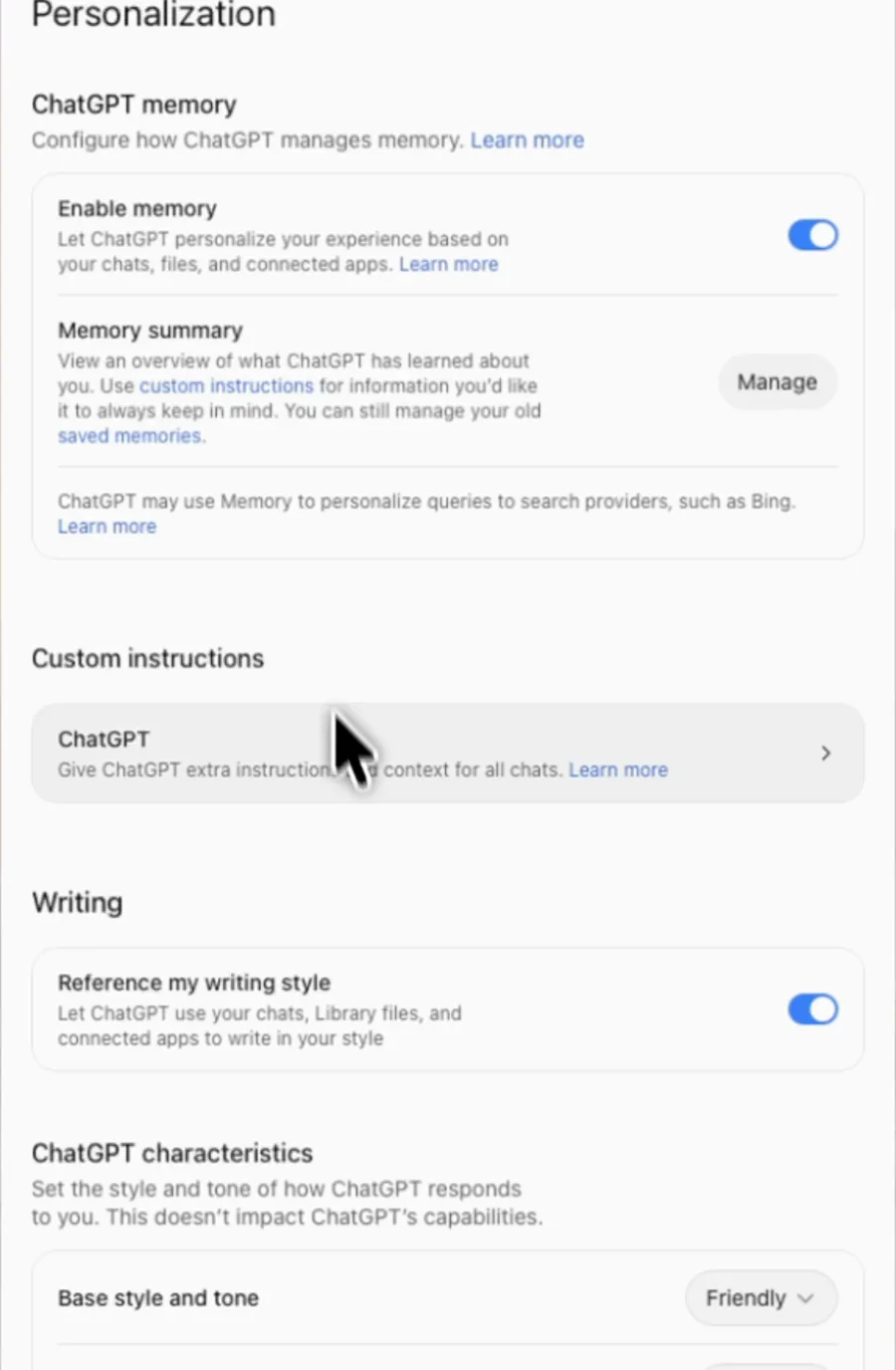
On the web or desktop app, open your profile → Settings → Personalization → Custom instructions. In Paulo's English web recording from September 28, 2026, the link under Custom instructions is labelled ChatGPT. Turn on Enable customization if you see that switch.
On a phone, OpenAI's instructions say to open Settings → Customize ChatGPT, enable customization, then open Custom Instructions. The layout may differ by version.
Paste and save the 10 shortcuts
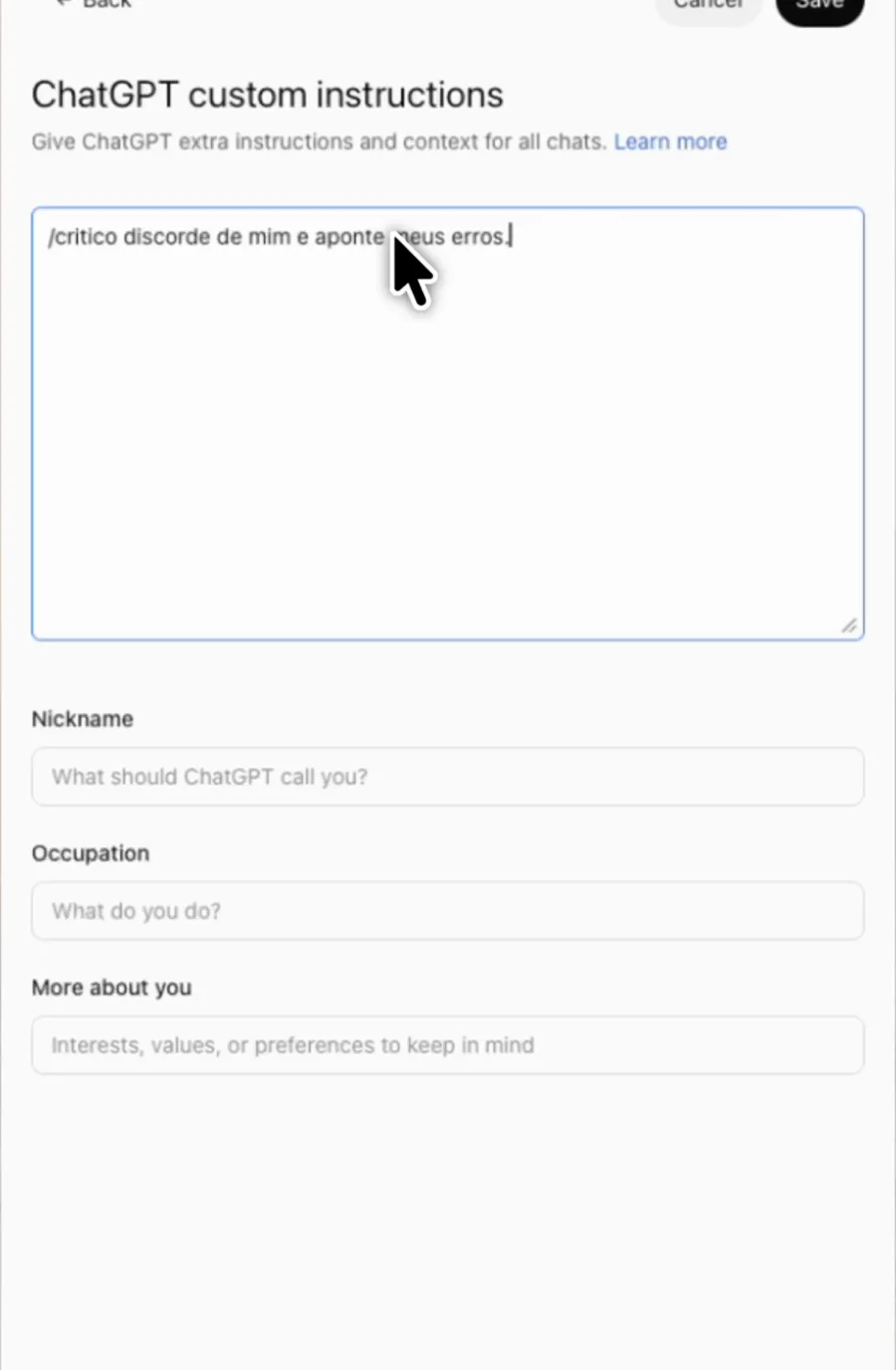
Paste the whole block in the custom behavior instructions field. Replace or merge it with your existing instructions. This block alone fits the 1,500-character Free and Go limit as of September 28, 2026. If you already have other instructions, you may need to shorten them. Click Save.
When I type /critico, disagree with me, point out my mistakes and suggest a practical alternative.
When I type /humano, rewrite the text in a natural voice without clichés or corporate language.
When I type /eli10, explain in simple words with an example a child could understand.
When I type /resumo, summarize your answer in exactly 3 short bullets.
When I type /checklist, turn the answer into steps I can check off.
When I type /perguntas, ask up to 3 necessary questions before answering and wait for my replies.
When I type /tabela, arrange the answer in a table with clear columns.
When I type /tweet, shorten the answer to 280 characters or fewer.
When I type /traduz, translate the text into the language I specify while keeping its tone.
When I type /opcoes, give 3 distinct options with pros and limitations for each.
Try a fresh chat
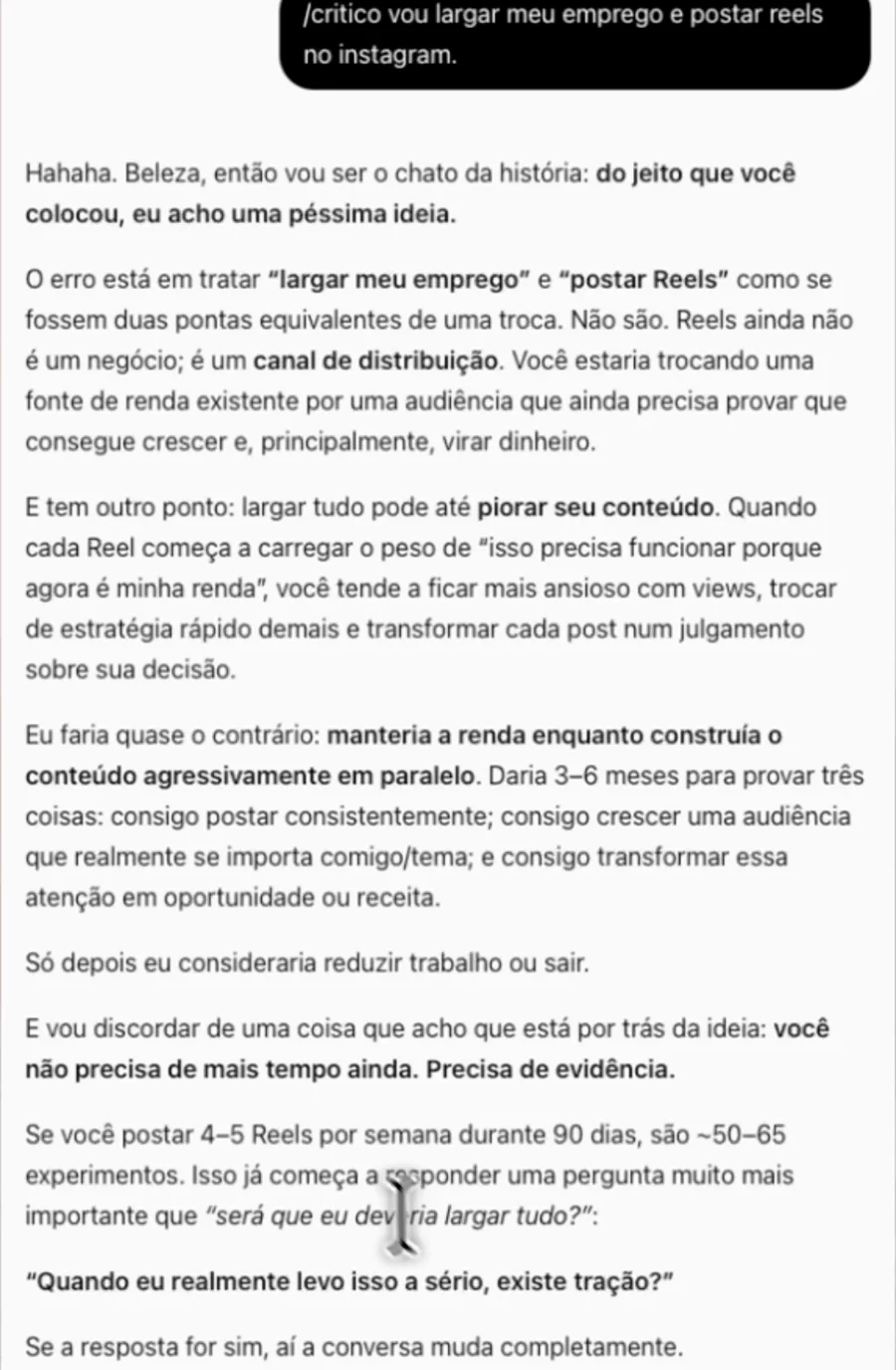
Type /critico vou largar meu emprego e postar reels no instagram. In Paulo's recording from September 28, 2026, ChatGPT replied “do jeito que você colocou, eu acho uma péssima ideia” (“as you put it, I think it's a terrible idea”) and recommended testing the channel before quitting his job. That's one real response, not a promise of identical output.
For another trigger, try /resumo explain why I need an emergency fund. Each /name is just text, not an installed ChatGPT command.
Quick tips
- Try combining two triggers:
/humano /resumofollowed by your request. Simplify if they conflict. - Edit or remove one later by reopening custom instructions and saving your changes. As of September 28, 2026, Plus and higher plans have 5,000 characters in this field, versus 1,500 on Free and Go.
- Some clients open ChatGPT's own actions menu when you type
/. Keep typing your trigger; it is not a registered menu command.
FAQ
Does it work on my phone? Yes. Custom instructions are available on iOS and Android, even on Free. Open Settings → Customize ChatGPT in the app.
What about old conversations? OpenAI says changes affect future replies even in existing conversations. Past answers are not rewritten. A new chat makes the effect easier to see without old context.
What about projects or GPTs? Project instructions take precedence over your global instructions. Custom GPTs do not use your global custom instructions; they have their own configuration.
Comments
Have a question or something to add? Join the conversation.
No account needed. Select Sign in and choose a name to comment.
Loading the conversation…
Comment privacyCommenting guidelines