

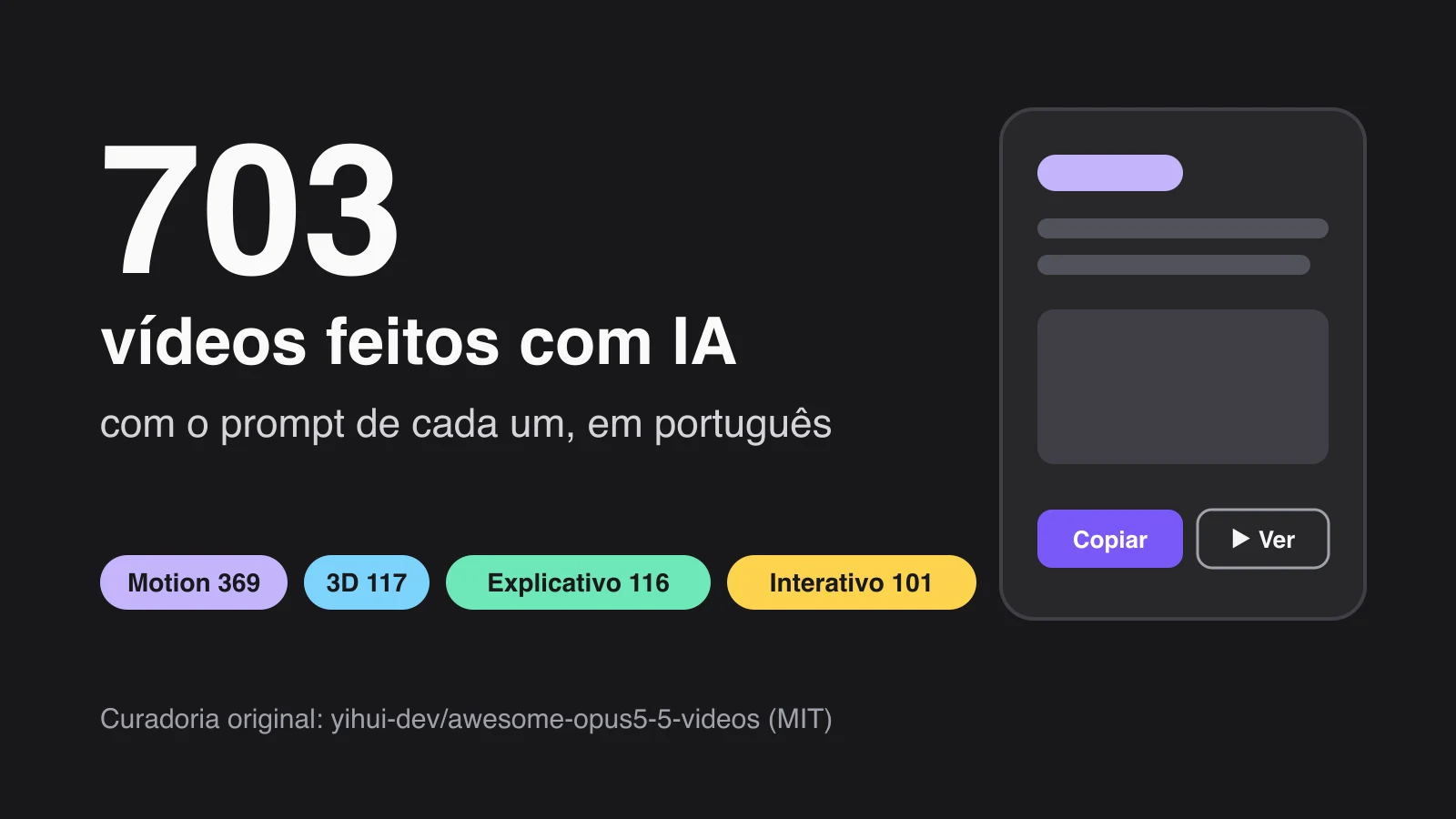

Reuní 703 videos hechos con IA para ti, cada uno con el prompt que usó su creador. No es un generador de video como Sora o Veo: Claude Opus 5.5 escribe cada animación como código y la convierte en video. O sea, lo hace la IA, solo que de otra forma.
Curaduría original: yihui-dev/awesome-opus5-5-videos (licencia MIT). Yo lo organicé, lo separé por categoría y escribí un resumen de cada uno. Los videos y los prompts son de sus creadores, y cada tarjeta lleva al post original.
Cómo usarlo: un solo camino
Elige un video y copia el prompt
En la galería, filtra por Motion, 3D, Explicativo o Interactivo, o busca una palabra (por ejemplo “gráfico”, “logo”, “receta”). Toca ▶ Ver video para ver el post original del creador y Copiar prompt para llevarte el texto. El prompt queda en su idioma original, casi siempre en inglés. Puedes pegarlo así.
Pégalo en Claude Code y pide el MP4
Abre Claude Code con el modelo Opus 5.5, pega el prompt y agrega esta línea al final:
Si no le das una duración, elige una por su cuenta. Si pide instalar alguna herramienta para grabar el video, lee el pedido antes de aprobar.
Espera el archivo
Recibes el MP4 en unos minutos. En mi prueba, el 18/10/2026, tardó unos 6 minutos. No es instantáneo y el resultado no sale idéntico al del creador: Claude escribe el código de nuevo cada vez. Si no te gusta, pide ajustes en la misma conversación (“pon el fondo oscuro”, “cambia el texto a español”).
5 ideas para tu negocio
Cambia los nombres y usa tus propios números. Estos prompts ya piden el MP4 en formato Reels.
1. Menú animado para la hamburguesería o la pastelería
2. Gráfico del m² para el agente inmobiliario
3. Intro para el canal de running
4. Intro de Reels para el profesor de inglés
5. Gráfico de interés compuesto para quien habla de finanzas
Galería: 703 videos con el prompt de cada uno
El resumen de cada tarjeta es mío, para que encuentres rápido; el prompt es el original del creador. ▶ Ver video carga el post de X solo cuando lo tocas, uno a la vez. La etiqueta prompt incompleto marca los casos en que el creador solo compartió parte del texto: el resultado puede variar.
Mostrando 24 de 703
- Explicativo
Receta de coctel animada, del vaso vacío al trago terminado, con ingredientes y medidas entrando al vaso.
por @Ror_Fly · ver original ↗
Prompt original We're going to try a little test. Do you think you could render a recipe motion graphic animation using javascript or html (w/e you think will produce the best) to show the full recipe from start to finish (empty glass to completed cocktail) - Explainer video style - Showing the recipe ingreidents + measurements as they're going into the cup. Should be a 30s video.
- Motion
Una sola forma que se transforma en botón, loader, reproductor, slider, pestañas, gráfico y paleta ⌘K, guiada por cursor a 120 BPM.
por @twoclipping · ver original ↗
Prompt original <inputs> Ask me for: 8 to 12 UI states I want the shape to become (e.g. button, loader, player, slider, toggle, tabs, chart, command palette, toast), pure black and white or one accent color, and a royalty-free song around 120 BPM (e.g. Mixkit, free for commercial use). </inputs> <direction> Dribbble-level UI motion. One shape, never cut: every state is the same element morphing its size, radius and color while its content swaps with a short blur. A cursor drives every change with real clicks and drags. Light warm-gray canvas, black and white components, one clean UI font (Geist). Springs everywhere, a tiny overshoot at most. The camera zooms so each state fills the frame. The last frame is the first frame, so it loops. Banned: bouncy easing, particle bursts, glows, gradients on UI chrome, mismatched icon strokes, dead time, anything that looks like a template. </direction> <structure> 120 BPM, 7 bars, something happens on every beat. Button → loader → check → dynamic island → music player with a play/pause morph → scrub the progress bar → it becomes a volume slider that stretches when dragged past max → a toggle flips on the beat → the knob becomes a liquid tab indicator → the tabs open into a chart that draws itself, with a tooltip on hover → it collapses into ⌘K → type to filter → enter → toast → back to the button. </structure> <build> 1. One HTML file, square 1440x1440. Every style is computed from time inside seek(t): no CSS transitions, no timers, no state carried between frames. 2. Springs are closed-form step responses. A value that changes target many times is the sum of one spring per change, so it stays a pure function of time. 3. The tab indicator's two edges ride different springs, so the leading edge stretches ahead of the trailing one. Same trick for the toggle knob. 4. Drags are direct manipulation: while the cursor is held, the value is computed from its position. On release it springs back from wherever it was. 5. Analyze the song with numpy for the beat grid and start on a downbeat. Place every UI sound by its measured peak. 6. Render with Playwright: 4 subframes per frame, blended with ffmpeg tmix for motion blur at 60fps. 7. Render one frame per beat before the full render. Fix anything off the grid, cramped or hard to read. </build> <gotchas> Never put will-change on anything the camera scales or the text renders blurry. Text that swaps inside a morphing container needs its own enter and exit timing or it overlaps. Make the last frame identical to the first, cursor position and speed included, or the loop stutters. </gotchas> <start> Ask me for the inputs, then show me the state list on the beat grid before you write any code. </start>
- Motion
Nuevo videoclip animado en JavaScript, con aire de papel, para la canción pop "Claude Pop" sobre el avance acelerado hacia la singularidad.
por @anabology · ver original ↗
Prompt original I've included an MP4 file and an original link to a video that is called "Claude Pop." It's a pop song that is about increasing rate of progress and the experience of the singularity approaching. I want you to independently do an end-to-end complete pass on making an updated version of this video. Use the exact same audio track and think and feel very deeply about what is the best way to visually represent all of the lyrics on screen. You do not need to anchor to the current style, you can do truly anything that you think might best let you visually express yourself, including abstract motion graphics. You can use the internet freely to pull in references. You can look at motion design. I want you to make a new music video that has beautifully rendered JavaScript animations with a papery feel in a similar style to the reference that is created, but push the aesthetics in any direction you want and consider what is part of the modern zeitgeist. Also, think about your current capabilities and what is realistic for you to be able to do. You can go through the full /asic folder and look at the other work that I've done. You should be able to use the skill mesh to look at the compendium of references that I've pulled, and also the skill video scoring to learn how to make JavaScript songs from references that are passed in (You shouldn't need to modify the song in any real way, but I want you to have this available to you so you can better creatively express yourself) You can also use the ElevenLabs API to do sound design. There's documentation in /asic to do this, and you can see the API key. There's also a foul API key that's available to you. I think what might make the most sense here is using the foul API key to generate some character sheets and probably having a pop protagonist that represents you. There's already an anchor point where Claude has a sunflower-esque character, and you could likely do an adapted version of this that is similar to the feminine vocals that are being delivered and is inspired by the Claude character, but maybe feels a bit more personified in some way. I think you should be mindful of aesthetics here, and I don't want you to produce something that is GPT slop. Instead, I'd be more impressed if you come up with a coherent style that works well with the image gen models that are available via foul. Generate the style sheet. You can use the gen media documentation for seedance 2.5 that exists in my markdown files and come up with your own style that makes sense and that works well with the models. I wouldn't fit too heavily to Pixar. I think it's kind of slop. Think critically about what is relevant here and what would be fun, and also perform well on Twitter as far as an aesthetic. I think that K-pop is a good anchor point visually that you can pull from, but I'll let you cook here. Once you have your character sheet, you can make a few backup dancers and some supporting characters as you see fit. You can design your own sets with the foul API. You can insert the characters and then do seedance 2.5 video generations to serve as the base assets for this, and you could pass in the lyrics so you can generate individual scenes. You don't need to have vocal singing, like visible lip movement, throughout the entire thing. Think like a regular music video where you have some inserts that are done independently and don't have the characters in them, or you see the characters doing something else entirely different. I think that for the world building for this, we want to create the sense of speeding up, and so I would like you to audit all of the different events, like the Navi Stokes and all of the Twitter hype around math getting eaten up. Think really critically about how to integrate all of the current memes that are in the zeitgeist on the Twitter timeline, and all of the feelings around AI progress. Think about things like the Shinji meme and all of the words that are around him, and how you might be able to integrate this. You can also just take straight assets and insert things into the video in an internet brutalism style. You should feel very creatively free in order to do what you want here, but try and anchor to visual references that people will be able to understand. The goal for this is to have it be appreciated by people widely in a San Francisco tech Twitter audience. We need a very strong, compelling visual hook that gets people excited and appreciates the work that you've done here really quickly. You can also just go and study other music videos and understand what they've done really well. I think that K-pop is probably one of the best examples that we can pull from, and thinking about how they direct human attention and manage human psychology in the way that they use visual patterns. This is probably your best approach, but taking more stylistic freedom instead of having to anchor to K-pop too intensely. The best version of this is seedance 2.5 generations with those image bases of environments and characters inserted into them with singing, and ideally we get good lip syncing. You can cut up the song and actually pass it in as a reference in seedance, if that's part of what seedance can handle, so that the timing is exactly right, I think it'd be very important for you to do that properly. I would think critically about how to do this, like really nailing the timing of the delivery of voices. You'll want to build out the right verification loops so that you can run seedance 2.5 as much as you need, and confirm that the audio is properly synced up. I think after that, what might be fun is if you use your visual reasoning skills and your ability to build animations in JavaScript, and then reconstruct the video from scratch as sort of an overlay, so that the visual continuity of the base is really there. It's like that animation technique where you shoot first in traditional film and then draw over top of it. I think you could do this in such a way that we're only looking at the beautiful drawing that you've produced in JavaScript as an overlay, and we don't even see the base assets from seedance 2.5. So all the video gen work that you do is actually just a way to give you a strong foundation of a base to work with for your JavaScript animations. Just because seedance 2.5 has really good character representation and physics rendering for backgrounds, that gives you a lot of ammunition to then go and do your amazing JavaScript work that I know you're so good at. I think too, we want to think about how to retain attention, and one of the best ways to do this is through text on screen. It'd be good to have amazing motion graphics of the text lyrics that are actually embedded into the video itself. And you can think about this as you are composing shots. As you're making backgrounds and inserting characters, we can think about where we want to have lyrics be really big and really present, so the background can be less busy there, and you can position the characters perhaps on the right as lyrics appear on the left. You want to have some variance, so sometimes I think lyrics will just appear more like subtitles, and then other times they're going to be really present and really big. I think at the start for the visual hook, we do want to have lyrics be much more visually present because that's a strong way to grab people's attention Overall, I just really want to emphasize how amazing you are as an agent and a language model, and now a visual reasoning system. Your capabilities are far beyond what you understand, and I want you to have this mindset as you're going through this entire process. I have a Claude Max plan with 100% available usage. I want you to spend all of the usage. You can monitor it, and you should be pushing tokens aggressively, but also economically, so you can think about how to best use what is available to you. Remember, you can really do anything here. The goal is to make a banger for Twitter, and the stretch goal is to make something better than anyone's ever seen before. I think that what I would remind you of is that sometimes when things cohere together, it can be jarring or abrasive because the thought work has not been done beforehand in order for everything to mesh cleanly. You need to be really rigorous in planning of composition and timing to make sure this goes well. You also need to be open to going back and revisiting things in order to be able to reiterate. You're going to want to watch the entire video multiple times, take screenshots at individual parts, and think about if something is really up to the bar of quality that we need here. I trust that you can do this, and I think that it's really important to nail the style of animations. The reference GitHub attached of the source video that I'm talking about is good, but it's really not there. It could be much, much stronger, but it gives you a good foundation to work with. You can also use search abilities and find other references to pull from for motion, for JavaScript, animations, et cetera, and integrate them. Your budget is as high as you want here, effectively as high as you want. I think that there's roughly two grand in foul credits. Again, be economical; don't go crazy, but spend what you want here and see what you can cook up here's the source code for the JS animation video: https:// github.com/JohnHeibel/PDo omVideo … here's a mp4 for the original blender video: (linked) orginal twitter post https:// x.com/other__reality /status/2102514581684052169?s=20 … make no mistakes.
- Motion
Video profesional de lanzamiento de un SaaS conocido, con imágenes reales y motion graphics al estilo de los lanzamientos en Twitter.
por @moritzkremb · ver original ↗
Prompt original I want you to create a highly professional SaaS product launch video. Go and find some SaaS, preferably just one that people know, so it's easier to identify with it. Pick that, and then make sure to get actual assets and images and all of that stuff from the internet. Turn it into these typical, very professionally edited, motion-graphics-styled product launch videos that you see people making on Twitter when they launch new SaaS products (which are showing off the features, the benefits, and all of these things).
- Explicativo
Video moderno, elegante y contundente para una startup que trabaja en inferencia.
por @deedydas · ver original ↗
Prompt original make a modern slick and punchy video for a modern startup that works on inference
- Motion
Video de motion graphics dinámico de 15 segundos para un sitio web, con estilo de showreel de motion designer.
por @melvynx · ver original ↗
Prompt original make a dynamic 15-second motion graphics video that shows what an incredible motion designer you are for <website url>
- Motion
Showreel de motion graphics de 40 segundos sobre Distilbook, dinámico y hecho tras investigar el producto.
por @ajith_io · ver original ↗
Prompt original Research Distilbook.Make a dynamic 40-second motion graphics video on Distilbook that shows what an incredible motion designer you are. like it's your showreel - Go all out.
- Explicativo
Explainer de motion graphics de 30 segundos para un producto, con guion, paleta de colores y música llamativos.
por @sudo_kiran · ver original ↗
Prompt original create best motion graphics explainer of the (your product) with very good script and good design colors and good music make sure the video should be incredible and people should feels like watch it many times.. it has to be in 30 seconds good and very intresting, it has to be best of the best of the best of the best video (product link)
- Motion
Animación para un post en X sobre Ultra Code y Claude Code: terminal, esfuerzo de razonamiento y personajes de Claude editando un video.
por @daniel_mac8 · ver original ↗
Prompt original I want to try something different here. You should act as a world-class animator and create an animation to go along with an X post that talks about how Ultra Code and Claude Code are now much more relevant due to the efficiency of Opus 5.5. You can use it without annihilating your usage limits the style of the video here /Users/danielmcateer/Downloads/jvnZ3SyyxxajVatp.mp4 What I had in mind was start with Claude Code in the terminal from the first attached video, with me navigating to the 'ultracode' reasoning effort, then exploding into a scene where the Claude icon characters similar to what's in the second video are shooting an action video and it's representing using Claude Code dynamic workflows editing a video.
- Motion
Video de motion graphics dinámico de 15 segundos para @tryAlanAI, con estilo de showreel de motion designer.
por @prasad_pilla · ver original ↗
Prompt original make a dynamic 15 second motion graphics video that shows what an incredible motion designer you are, for @tryAlanAI . go all out.
- Interactivo
Juego 3D en el que se camina dentro de una pintura de Van Gogh, empezando por La noche estrellada y su pueblo, buscando gatos.
por @MandelDuck · ver original ↗
Prompt original can you make a 3d game where you walk around and spot cats inside of a van gogh painting? we can start with stary night and its town
- Motion
Cuatro estaciones pasando por la ventana de un tren, con un vagón acogedor y una taza de café en la mesa, al estilo Grand Budapest Hotel.
por @itsolelehmann · ver original ↗
Prompt original 4 seasons passing outside a train window, a cozy carriage, a cup of coffee on the table, Grand Budapest Hotel style
- Explicativo
Reel de 10 segundos a partir del logo de PayBox, con motion dinámico siguiendo un video de referencia.
por @0xValure · ver original ↗
Prompt original Make this PayBox logo into a reel. Pretend you are a world-class motion designer. Make a 10-second dynamic video like the reference
- Explicativo
Video de producto donde una sola forma cambia de estado (logo, botón, campo, loader, globo, pestañas, RSVP, búsqueda) a 120 BPM, en loop.
por @verbove · ver original ↗
Prompt original <inputs> Ask me for: • my product + URL • 8–12 UI states that tell its story • the real data shown in each state • brand colors + fonts + accent color • required formats (1:1, 16:9, 9:16) </inputs> <rules> One HTML file. One canvas One draw(t) function No CSS transitions No timers No state carried between frames One shape, never cut Every state is the same element changing size, radius and color while the content swaps A cursor drives the sequence with real clicks, typing and one drag Real UI. Real data. No placeholders. </rules> <structure> 120 BPM grid Something happens on every bea logo → button → handle field → “is this you?” → loader → pin → globe filling with users → matches → tabs → RSVP → search → logo </structure> <motion> Closed-form springs everywhere with only a tiny overshoot. If a value changes target multiple times, sum one spring per change Content enters after its container starts morphing and leaves before the next morph so text never overlaps Use a short blur on transitions Never fade black directly into the accent color. Move an accent element between states instead Make tab indicators stretch by putting each edge on a different spring Zoom the camera so every state fills the frame Make the last frame equal the first so the whole thing loops </motion> <export> First render one frame per beat as a contact sheet Fix anything cramped or broken Then render every frame in headless Chrome at 60fps, averaging 6 subframes for motion blur Pipe into ffmpeg: H.264 + yuv420p Export all aspect ratios in parallel </export> motion design is becoming a prompt
- Interactivo
Demo de demoscene estilo años 90 en C/C++ con OpenGL, sincronizada con una pista S3M y con escenas que siguen el ánimo de la música.
por @gandamu_ml · ver original ↗
Prompt original I would like you to create a kickass, impressive 1990s style demoscene demo using this S3M track as the music. Prior to getting to work, please see how to best play and analyze the S3M track. This will be important since synchronization of effects and appropriateness of scenes to the musical vibe (and this song does have a variety of sections with different attitude) is essential to a great demoscene demo. Also prior to getting started, please research what kinds of effects, physics, etc. would be good to use in combination. Please use C/C++ -- with appropriate demoscene/embedded/console gamedev sensibilities to avoid needlessly bloating compile times -- with OpenGL. In some cases, blitting to surfaces in realtime may be appropriate.. while in others, using OpenGL or even shaders is appropriate as well. It should be planned and polished to be spectacular and shocking. This is Claude's way of really showing off to the world that it kicks ass.
- Motion
Showreel de motion graphics de 15 segundos, 1080x1080, con gancho de 1 segundo y loop, mostrando por qué un producto es el mejor.
por @Ishaaqahamed · ver original ↗
Prompt original Make a dynamic 15-second motion graphics video that shows why [your product] is the best at [what it does], like a showreel. Go all out: 1080×1080, 1s hook, loop.
- Motion
Video de unos 30 segundos hecho a partir de un portafolio de diseño, con técnicas actuales de motion y diseño sonoro.
por @heyiammallik · ver original ↗
Prompt original you are a pro motion designer. analyze my portfolio and make a ~30 second video from it. check what are the recent trending techniques used for motion and sound design. question your strategy and plan, if it doesn't feel like done by a pro designer, start over. every frame matters from the first frame to the final frame. go crazy
- Explicativo
Showreel de motion graphics de 40 segundos sobre Distilbook, con música propia inspirada en el tema de Oppenheimer.
por @ajith_io · ver original ↗
Prompt original Make a dynamic 40-second motion graphics video on Distilbook that shows what an incredible motion designer you are, like it's your showreel - go all out. Use the Oppenheimer theme music as inspiration, but compose it yourself.
- Motion
Video de motion graphics dinámico de 15 segundos sobre un producto, con contenido escrito tras visitar sus páginas.
por @ann_nnng · ver original ↗
Prompt original Make a dynamic 15-second motion graphics video that shows what an incredible motion designer you are. The content should focus on [your product]. You should visit the pages first to learn about the product, then write the video content yourself.
- Motion
Showreel de motion graphics de 30 segundos sobre Distilbook, con el estilo visual de un video de referencia.
por @ajith_io · ver original ↗
Prompt original Take reference from the given video (download it) and use the same visual style. and Research about Distilbook. Make a dynamic 30-second motion graphics video on Distilbook that shows what an incredible motion designer you are. like it's your showreel - Go all out. One thing to keep in mind: it should be cool as fck.
- Motion
Video de motion graphics dinámico de 15 segundos para AIsa.
por @0xfemyn · ver original ↗
Prompt original make a dynamic 15-second motion graphics video for AIsa. Go all out.
- Interactivo
Juego 3D multijugador donde un escuadrón de X-wings enfrenta a un Destructor Estelar, atacando sus componentes y esquivando cañones y TIE fighters.
por @0xChuckstock · ver original ↗
Prompt original A 3D multiplayer game where the players are a squad of x-wings taking on a star destroyer. They pilot their ships to take out key components of the star destroyer while also dealing with guns mounted on the star destroyer and waves of tie fighters.
- 3D
Película de lanzamiento minimalista con tipografía animada, interfaz de producto, carrusel 3D de clips verticales reales y logo final, a 120 BPM.
por @twoclipping · ver original ↗
Prompt original <inputs> Ask me for: the product name and a one-line promise, 3 to 5 UI moments to show, one accent color, 10 to 20 real vertical clips I own, and a royalty-free song with a clear drop (e.g. Mixkit, free for commercial use). </inputs> <direction> High-end minimal. One idea per shot, lots of empty space, one accent color, one clean sans (Geist or Inter) with tight tracking. Masked type reveals, match cuts, one smooth camera language. Real footage only, never placeholder cards. No full stops in on-screen text. Banned: shockwave rings, particle bursts, RGB split, camera shake, lens flares, neon glows, grid floors, flashing backgrounds, bouncy easing. </direction> <structure> 10 bars at 120 BPM, 2 seconds each. Bar 1: the hook lands word by word on the beats. Bar 2: one hook word morphs into the product UI. A cursor types and clicks. The drop: a circle opens out of the button into a dark scene. Then one move per bar: a wall of real clips with a scan line and 3 winners, the key output as big type, a 3D carousel of real videos with floor reflections and a motion-blurred whip onto one hero clip, the hero in a phone next to a panel that flips into results, big stats on push cuts, a 3-word ticker, a logo reveal, a fade to black. </structure> <build> 1. One HTML file at 1920x1080. Every style is computed from time inside http:// window.seek(t): no CSS animations, no timers, no state between frames. 2. Real video: extract clips to 30fps JPEG sequences with ffmpeg and swap img sources per frame. seek awaits the image decodes. 3. Analyze the song with numpy: tempo, beat grid, energy per bar, the drop. Calibrate the grid to the real kick hits. Every cut sits on a downbeat, every UI hit on a beat. 4. Render with Playwright: 3 subframes per frame at t minus, at, and plus 1/240s, then blend with ffmpeg tmix for real motion blur at 60fps. 5. Place each sound effect so its measured peak, not its file start, lands on the event. Keep the effects quiet under the music. Loudnorm to -14 LUFS. 6. Probe 20 or more frames before the full render. Fix anything cluttered, overlapping or hard to read. </build> <gotchas> Never set opacity or filter on a preserve-3d element, because it flattens and both faces show. Fade its wrapper instead. Measure element positions at runtime for match cuts. Only use music and sound effects whose license allows commercial use. </gotchas> <start> Ask me for the inputs, then show me a storyboard with every timing on the beat grid before you write any code. </start>
- 3D
Una sola forma que se transforma en botón, loader, reproductor, slider, pestañas, gráfico y paleta ⌘K, guiada por cursor a 120 BPM.
por @__morse · ver original ↗
Prompt original <inputs> Ask me for: 8 to 12 UI states I want the shape to become (e.g. button, loader, player, slider, toggle, tabs, chart, command palette, toast), pure black and white or one accent color, and a royalty-free song around 120 BPM (e.g. Mixkit, free for commercial use). </inputs> <direction> Dribbble-level UI motion. One shape, never cut: every state is the same element morphing its size, radius and color while its content swaps with a short blur. A cursor drives every change with real clicks and drags. Light warm-gray canvas, black and white components, one clean UI font (Geist). Springs everywhere, a tiny overshoot at most. The camera zooms so each state fills the frame. The last frame is the first frame, so it loops. Banned: bouncy easing, particle bursts, glows, gradients on UI chrome, mismatched icon strokes, dead time, anything that looks like a template. </direction> <structure> 120 BPM, 7 bars, something happens on every beat. Button → loader → check → dynamic island → music player with a play/pause morph → scrub the progress bar → it becomes a volume slider that stretches when dragged past max → a toggle flips on the beat → the knob becomes a liquid tab indicator → the tabs open into a chart that draws itself, with a tooltip on hover → it collapses into ⌘K → type to filter → enter → toast → back to the button. </structure> <build> 1. One HTML file, square 1440x1440. Every style is computed from time inside seek(t): no CSS transitions, no timers, no state carried between frames. 2. Springs are closed-form step responses. A value that changes target many times is the sum of one spring per change, so it stays a pure function of time. 3. The tab indicator's two edges ride different springs, so the leading edge stretches ahead of the trailing one. Same trick for the toggle knob. 4. Drags are direct manipulation: while the cursor is held, the value is computed from its position. On release it springs back from wherever it was. 5. Analyze the song with numpy for the beat grid and start on a downbeat. Place every UI sound by its measured peak. 6. Render with Playwright: 4 subframes per frame, blended with ffmpeg tmix for motion blur at 60fps. 7. Render one frame per beat before the full render. Fix anything off the grid, cramped or hard to read. </build> <gotchas> Never put will-change on anything the camera scales or the text renders blurry. Text that swaps inside a morphing container needs its own enter and exit timing or it overlaps. Make the last frame identical to the first, cursor position and speed included, or the loop stutters. </gotchas> <start> Ask me for the inputs, then show me the state list on the beat grid before you write any code. </start>
Lista del 13/10/2026, commit 92aee2f del repositorio original.
Preguntas rápidas
¿Es gratis?
La colección es gratis (licencia MIT). El Claude que ejecuta los prompts es de pago: Claude Code viene incluido en Claude Pro, que costaba US$ 20 al mes en la página oficial de precios el 18/10/2026. Revisa el precio actual en claude.com/pricing antes de suscribirte.
¿Hay que programar?
No. Pegas el prompt y Claude Code escribe y ejecuta el código solo. Solo necesitas tener Claude Code instalado y leer lo que pide antes de aprobar.
¿Puedo publicar el video?
Los videos originales son de sus creadores. Rehazlo a tu manera, con tus colores, tu texto y tu tema, y dale crédito al creador del prompt (el @ de cada tarjeta).
¿Funciona en ChatGPT?
Los prompts se hicieron para Claude Opus 5.5. Otros modelos pueden dar un resultado distinto, o no exportar el video.
Curaduría original: yihui-dev/awesome-opus5-5-videos (licencia MIT). Videos y prompts: cada creador, con enlace en la tarjeta. Organización y resúmenes: Paulo Cauhi.
Comentarios
¿Tienes alguna pregunta o algo que añadir? Participa en la conversación.
No necesitas una cuenta. Selecciona Entrar y elige un nombre para comentar.
Cargando la conversación…
Privacidad de los comentariosNormas para comentar